ICT Propulsion Block
Most order-block tools paint every block on the chart and leave you to guess which one actually carries intent. ICT Propulsion Block [ZynAlgo] only fires when a fresh block stacks directly onto the last one - the propulsion pattern that marks committed continuation - and hands you the entry, stop and measured targets the moment it confirms.
Key benefits
- Only the committed blocks: a signal prints when a new order block forms inside and above the previous one, not on every block that appears.
- Non-repainting confirmation: the propulsion signal is evaluated on the closed bar and does not redraw once it has printed.
- A trade already framed: entry, an ATR-scaled stop and up to three measured targets are worked out for each confirmed signal.
How it works
ICT Propulsion Block [ZynAlgo] tracks confirmed swing highs and lows. When price closes through a swing, it maps the origin candle into an order block; when the next block forms stacked on the previous one in the same direction, that block is promoted to a Propulsion Block and a directional signal fires. Each signal is framed with an ATR-based stop, R-multiple targets, an optional session window, and a live dashboard that tracks how the settings have behaved. Full walkthrough in the Manual.
What's included / Platforms
- TradingView indicator, Pine Script v6, added to your TradingView username once access is granted. Released to ZynAlgo VIP members.
Best for
ICT and Smart Money traders working intraday to daily charts who want order-block reads narrowed down to the propulsion continuations, with the levels to act on each one.
Get started
Browse the ZynAlgo marketplace
Disclaimer: Trading involves risk. Signals, blocks and measured targets are analytical references only and do not guarantee future results - always trade with your own plan and position sizing.
ICT Propulsion Block
Reading intent, not just blocks
ICT Propulsion Block [ZynAlgo] is built around one idea: the order blocks worth trading are the ones the market immediately builds on. A single block tells you where price reacted once. A propulsion block - a fresh block that forms stacked on top of the previous one in the same direction - tells you the move is being pushed, not paused. The tool waits for that stacking to happen before it marks a signal.
The philosophy is deliberately selective. Price first has to close through a confirmed swing, the origin candle is mapped into an order block, and only when the next block forms inside and beyond that block does the pattern qualify as propulsion. Everything else stays on the chart as context, but only the propulsion event prints a diamond and opens a framed trade. On TradingView you get a live map of where the blocks are, which ones are still valid, and a full plan attached to each confirmed signal.
Order blocks and the swing that builds them
An order block marks the candle where price last committed before a structural break. The tool finds it by watching confirmed swings, set by the Swing Detection Length. When price closes above a swing high, it looks back across the leg and picks the down-candle with the lowest low as the bullish order block; when price closes below a swing low, it picks the up-candle with the highest high as the bearish order block.
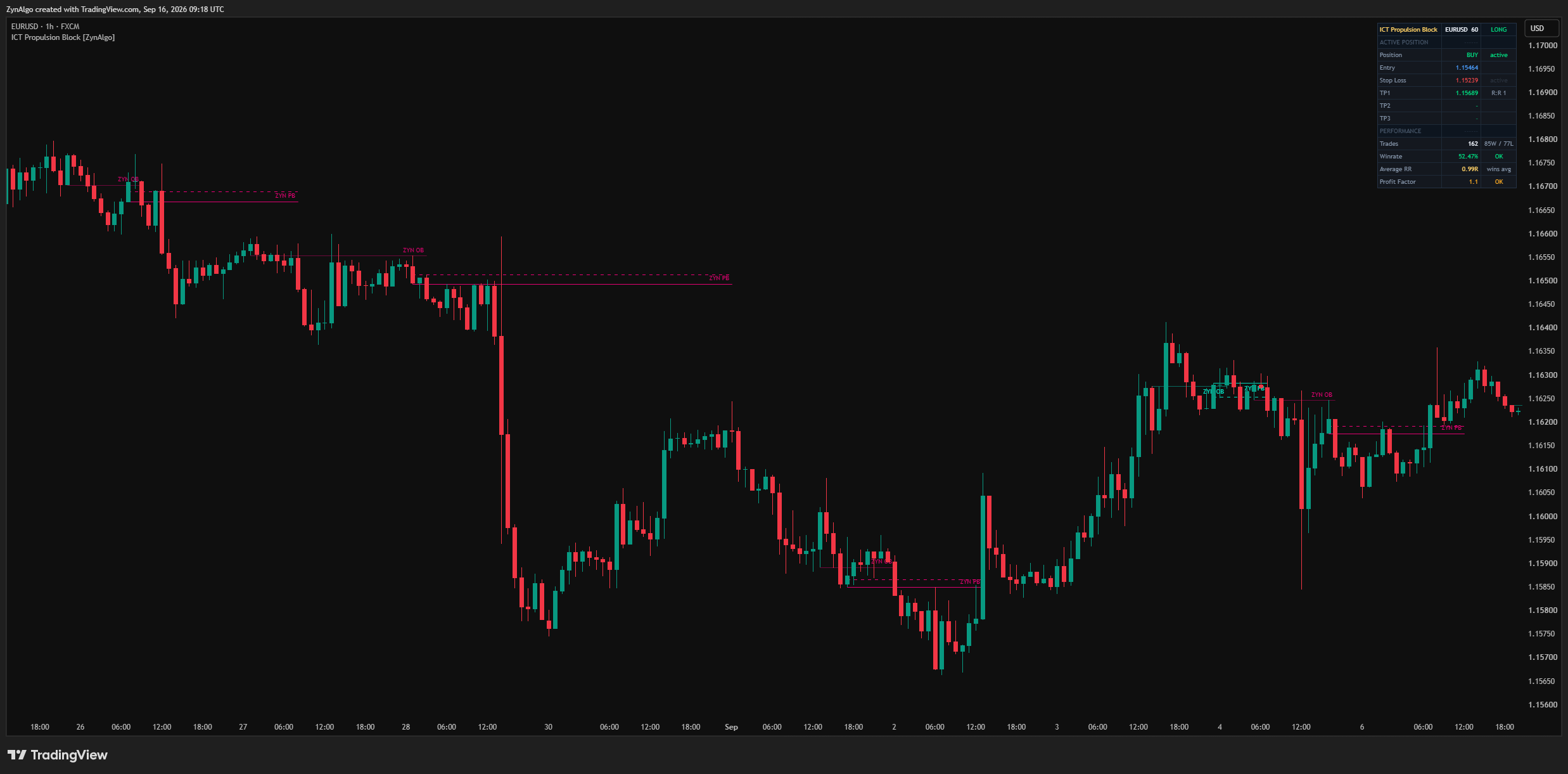
What a live block looks like on your chart:
- a shaded rectangle pinned to the origin candle, drawn in the neon bullish or bearish theme colour;
- a
ZYN OBtag on a plain order block, and aZYN PBtag once it is promoted to a propulsion block; - blocks extend to the right and keep their level until price mitigates them.
The common mistake is treating every block as a setup. Most blocks are just reactions. What makes a block worth acting on is whether the market immediately builds another one on it in the same direction.
What makes a block a propulsion block
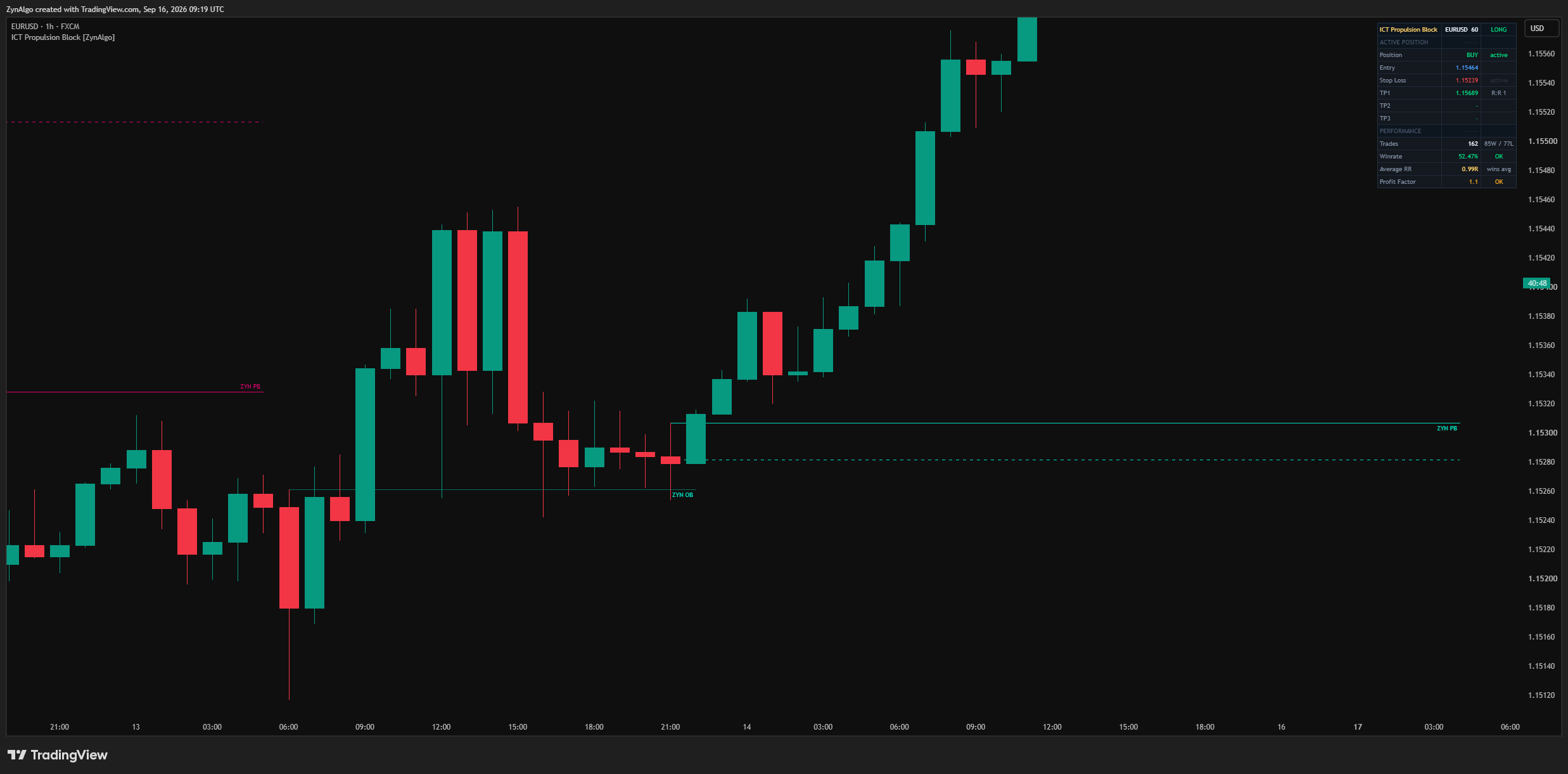
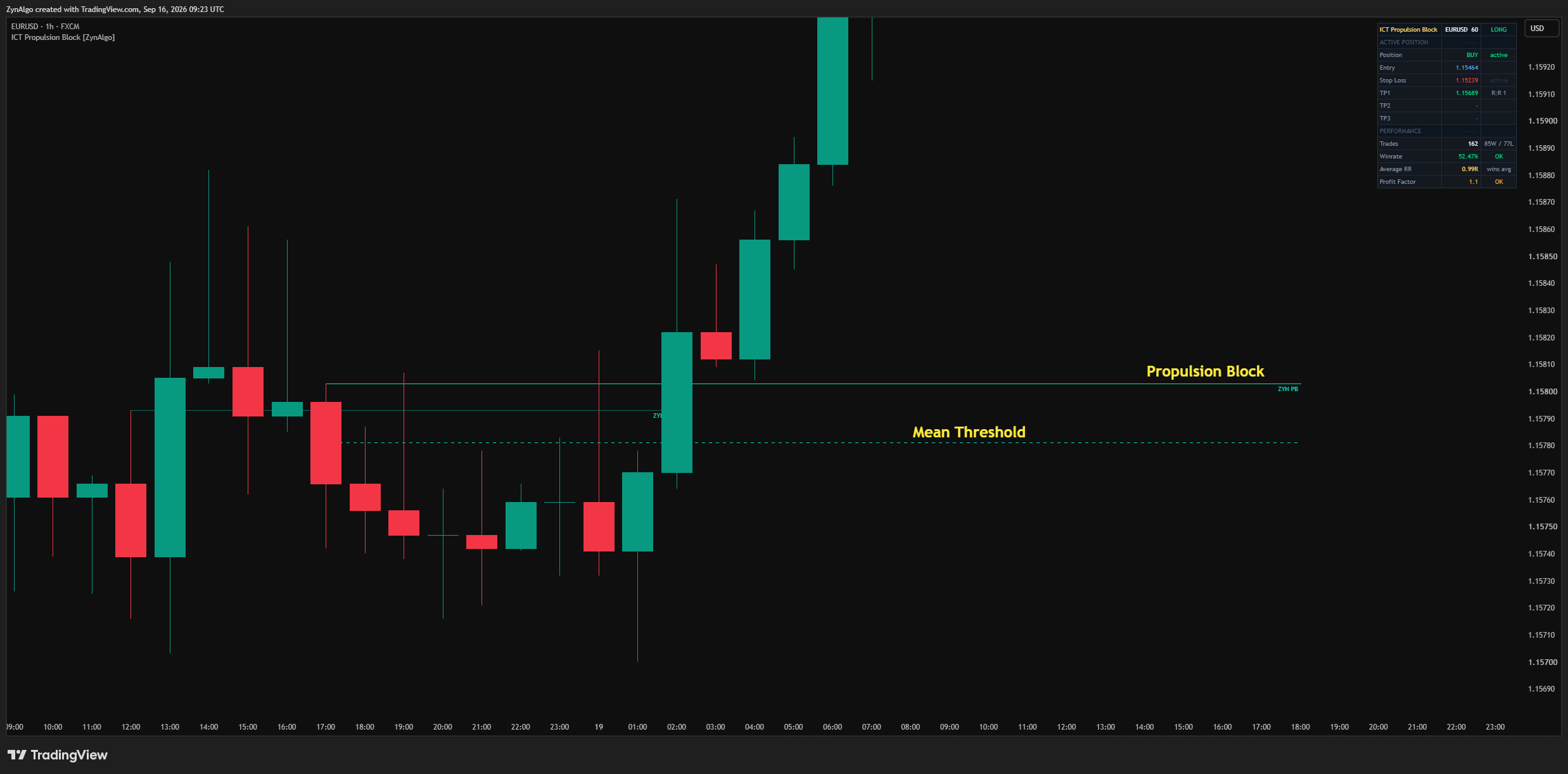
- The stack: a new order block is promoted to a propulsion block only when it forms overlapping the previous block and extends past it in the trade direction - low into the prior block and high above it for a bull, high into the prior block and low below it for a bear.
- Mean Threshold: the dashed mid-line drawn through a propulsion block, the average of its open and close. Highlight Mean Threshold turns it on or off.
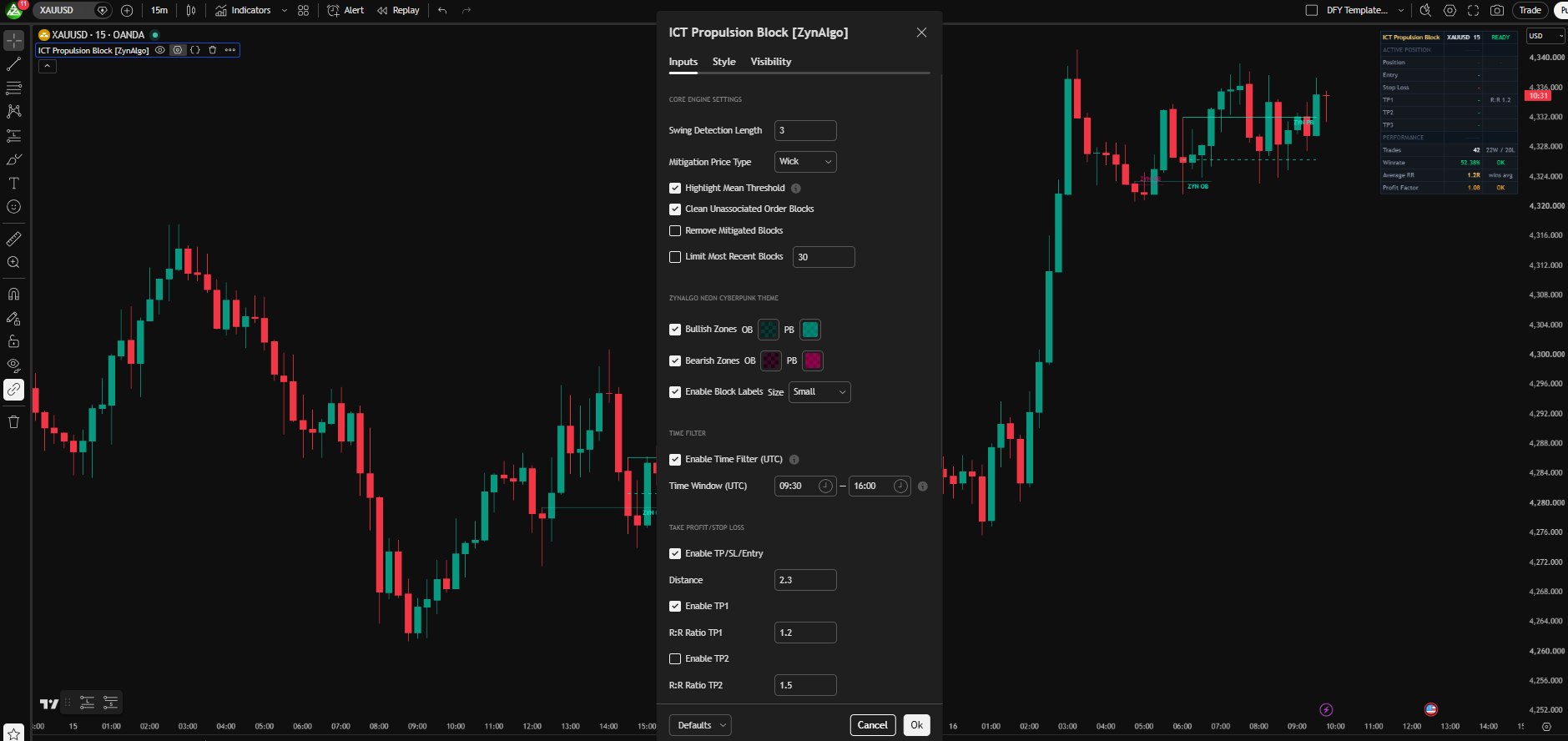
- Mitigation Price Type: choose whether a block counts as mitigated when the candle closes past it (Closing Price) or when a wick tags it (Wick).
- Housekeeping: Clean Unassociated Order Blocks removes blocks that never led to a propulsion; Remove Mitigated Blocks clears spent ones; Limit Most Recent Blocks caps how many stay drawn.
Reading the signals and the plan
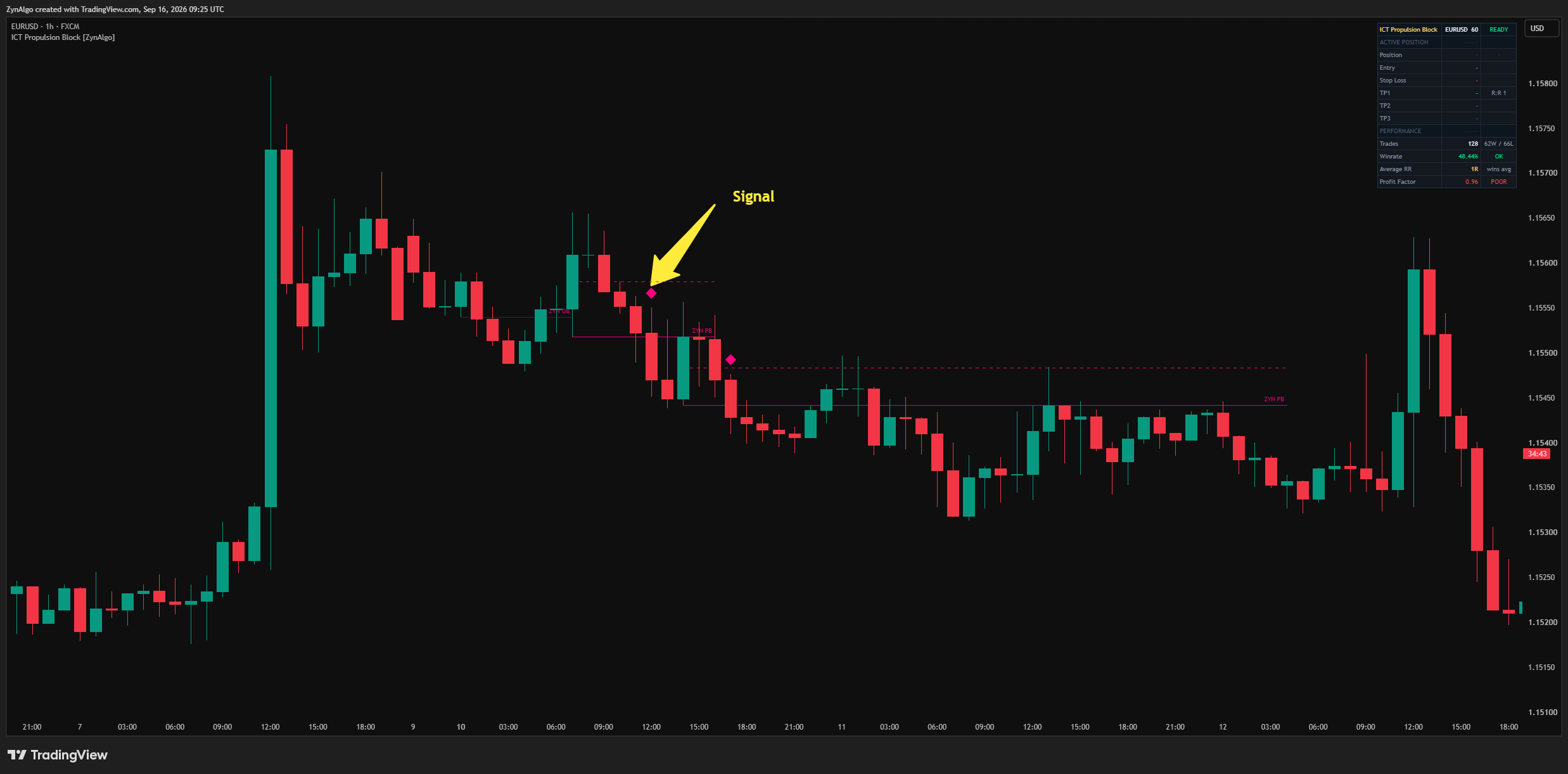
A diamond prints only on the bar where a propulsion block confirms: a bullish propulsion prints a diamond below the bar, a bearish propulsion prints one above. The signal is evaluated on the closed bar, so once it appears it does not repaint.
Every signal arrives with its trade already framed:
- the close of the signal bar is the entry reference;
- the protective stop is placed an ATR-scaled distance away, set by your Distance input;
- up to three targets (TP1, TP2, TP3) are projected at your chosen R:R ratios, with a shift to break-even after the first target is reached when a further target is still open;
- an optional time filter restricts signals to a fixed UTC window (HHMM-HHMM) you set, regardless of your chart or broker timezone, and the header reads OFF SESSION when the window is closed; a trade already open when the window ends still closes normally on TP/SL/timeout.
The dashboard keeps the running read in one corner:
- the active position - BUY, SELL or READY - with its Entry, Stop Loss and any enabled TP levels and R:R;
- Trades, Winrate, Average RR and Profit Factor built from the framed signals on this market and timeframe;
- a status tag on each figure so you can see at a glance whether a trade is active, at break-even, or has reached a target.
Alerts mirror what you see. A confirmed bullish or bearish propulsion fires its own alert condition with a confirmation message, so you can be notified the moment a signal prints.
Who ICT Propulsion Block fits
- ICT and Smart Money traders: you work with order blocks and want the ones the market is actively building on, not every block on the chart.
- Continuation traders: you would rather join a move being pushed than fade a single reaction.
- Structure-based sizers: you frame risk from the setup itself, and want the stop distance and targets measured before you commit.
- Intraday and session traders: the session window keeps signals inside the hours you actually trade.
A block the market immediately stacks on deserves more attention than a dozen isolated ones. The block is the context; the propulsion is the trigger.
Browse the ZynAlgo marketplace
Risk note: ICT Propulsion Block [ZynAlgo] is a charting and signal tool, not a guarantee of results. Signals, blocks, projections and tracked statistics are analytical references only, and past behaviour does not predict future performance - always trade with your own plan and risk management.
- ICT Propulsion Block v1Sep 17, 2026