HalfTrend Pro
Most trend tools flip a line and stop there, leaving you to guess the entry, the stop and where to take profit. HalfTrend Pro [ZynAlgo] keeps the proven HalfTrend engine but wraps it in a full trade plan: it marks the flip, projects entry, stop and targets, and tracks how the settings have behaved on your market.
Key benefits
- Confirmed trend flips: direction changes are read from a HalfTrend engine built on structural highs, lows and moving averages, not a single crossover.
- Automatic trade levels: every signal projects an ATR-scaled stop and up to three R:R targets, drawn on the chart for you.
- Behaviour you can see: a performance dashboard tracks trades, profit factor and expectancy so you can judge the settings before you trade them.
How it works
HalfTrend Pro [ZynAlgo] follows the HalfTrend line as it locks to swing highs and lows over your Structural Lookback. When the trend flips up it prints a BUY below the bar; when it flips down it prints a SELL above the bar. The trade is referenced from the next bar's open, a stop is placed an ATR-scaled distance away, targets are projected at your chosen risk-to-reward ratios with a break-even shift after the first target, and an optional session window keeps signals inside the hours you trade. Full walkthrough in the Manual.
What's included / Platforms
- TradingView indicator, Pine Script v6, added to your TradingView username once access is granted. Released to ZynAlgo VIP members.
Best for
Trend and swing traders working intraday to daily charts who want a clean HalfTrend read with the entry, stop and targets already worked out, plus a running record of how the tool has performed.
Get started
Browse the ZynAlgo marketplace
Disclaimer: Trading involves risk. Signals, levels and tracked statistics are analytical references only and do not guarantee future results - always trade with your own plan and position sizing.
HalfTrend Pro
Trading the trend, not the tick
HalfTrend Pro [ZynAlgo] is built around one idea: a trend is worth trading only once it has actually turned, and the moment it turns you should already know where you get in, where you are wrong, and where you take profit. Instead of leaving you to eyeball a line and improvise the rest, the tool waits for the HalfTrend engine to flip, then lays a complete plan on the chart while the move is still young.
The philosophy is deliberately mechanical. The HalfTrend line locks itself to structural highs and lows rather than chasing every candle, so it holds direction through noise and only changes its mind when price genuinely forces it to. Each flip becomes a signal, each signal becomes an entry with a stop and staged targets, and a dashboard keeps score. On TradingView you get a clean chart that shows where the trend turned, where the trade sits, and how the whole approach has behaved on this market and timeframe.
The HalfTrend engine
A trend that flips on every wobble is worthless; a trend that only flips when the market has truly changed hands is something you can build a plan on. HalfTrend Pro tracks the highest high and lowest low over your Structural Lookback, blends them with moving averages of the highs and lows, and only allows the trend state to switch when price closes decisively on the other side of that structure.
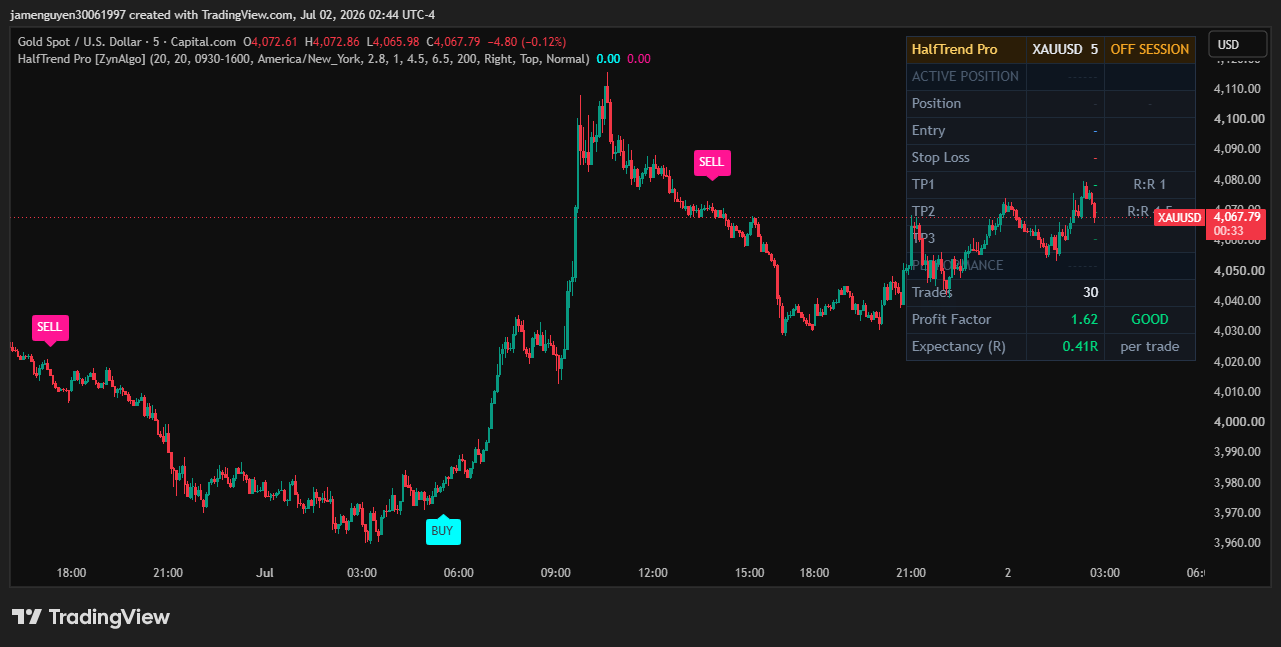
What the engine gives you on the chart:
- an underlying HalfTrend state that stays with the move and resists single-bar noise;
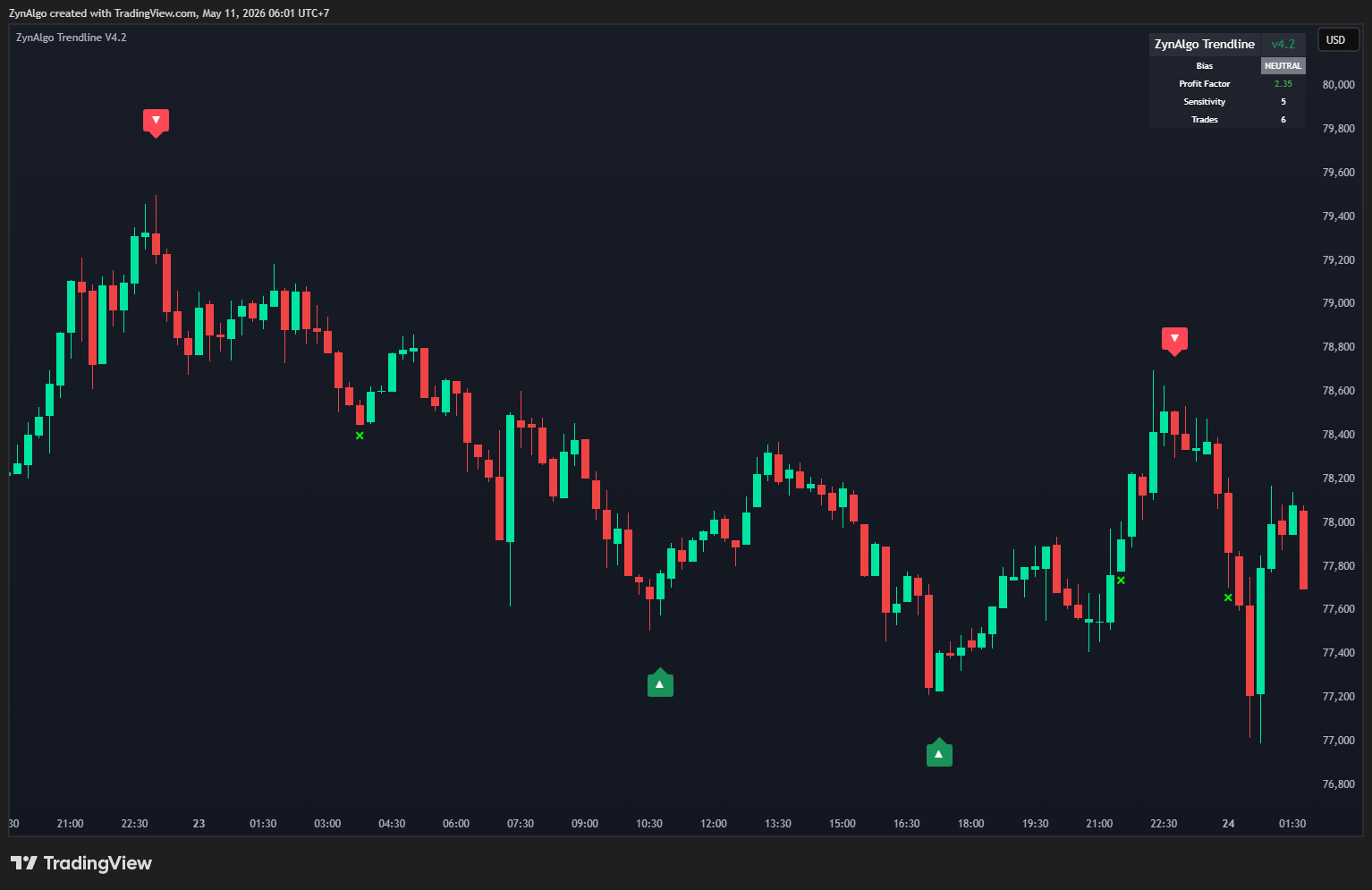
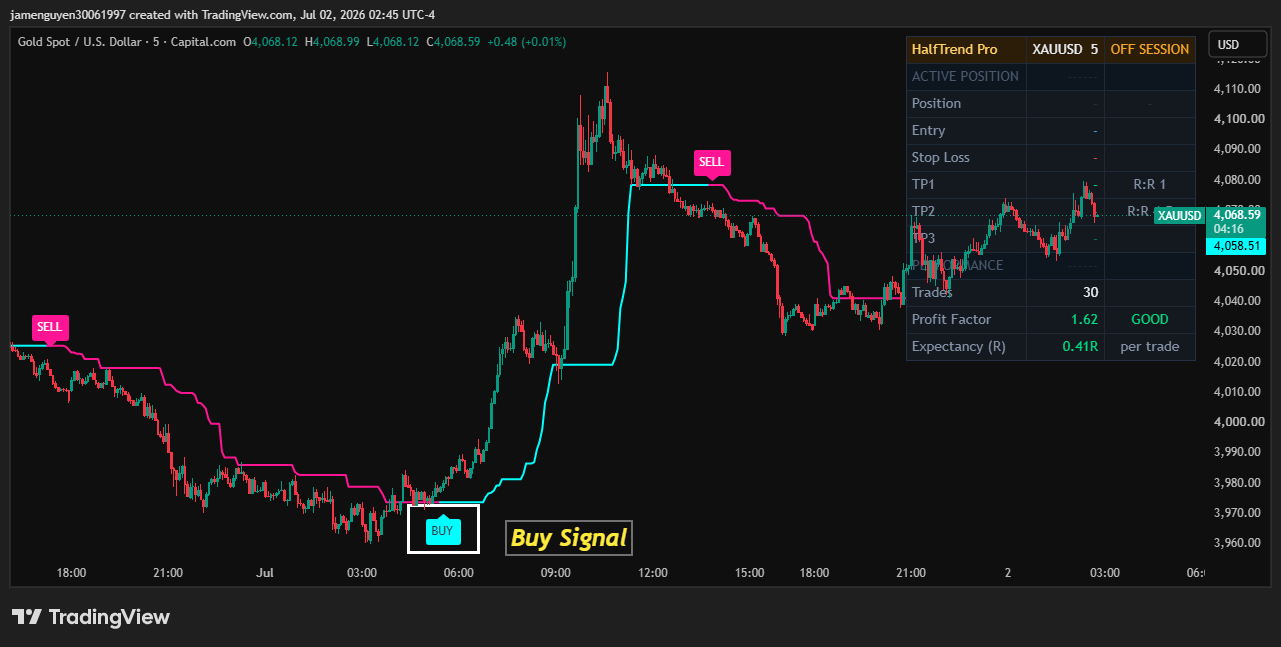
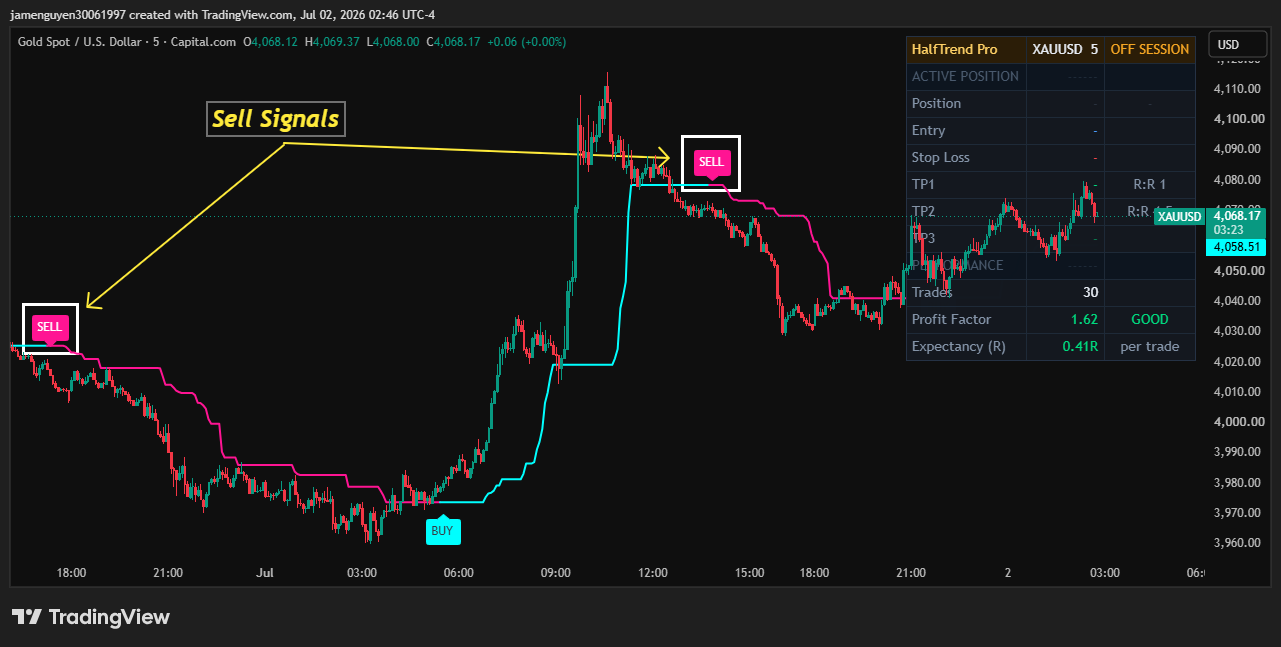
- a BUY tag printed below the bar the moment the trend flips up, and a SELL tag above the bar when it flips down;
- a clean price chart - the raw HalfTrend line is hidden by default so the signals and levels do the talking.
The common mistake is treating every green or red bar as a reason to act. What matters here is the flip: the point where the structural read has actually changed direction, not the drift in between.
How a signal is defined
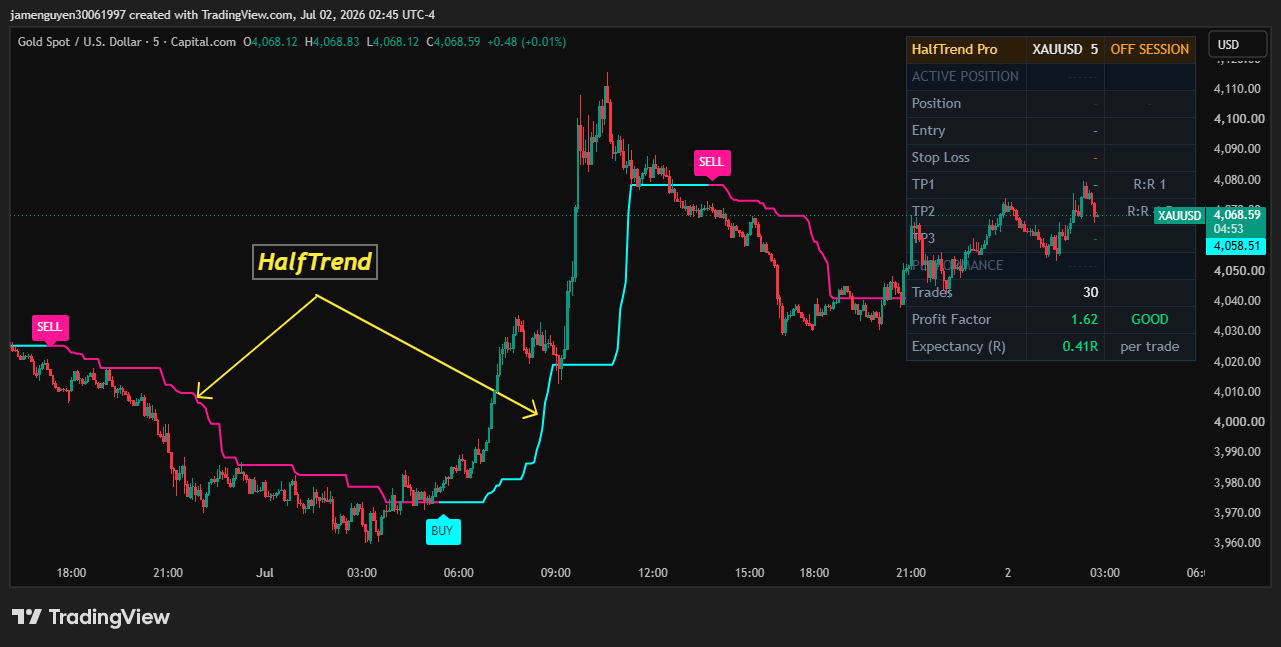
- Structural Lookback: the window used to find the swing highs and lows and their moving averages. A longer lookback holds the trend longer and flips less often; a shorter one turns quicker.
- Variance Filter: a companion input in the Trend Matrix Parameters group that sits alongside the lookback in the trend engine's configuration.
- The flip: a BUY prints when the trend turns up after being down; a SELL prints when it turns down after being up. There is one directional state at a time, so signals alternate.
- Next-bar reference: the signal appears on the flip bar, and the trade is referenced from the following bar's open, so entry, stop and targets are all measured from a real, tradable price.
The trade plan and the levels
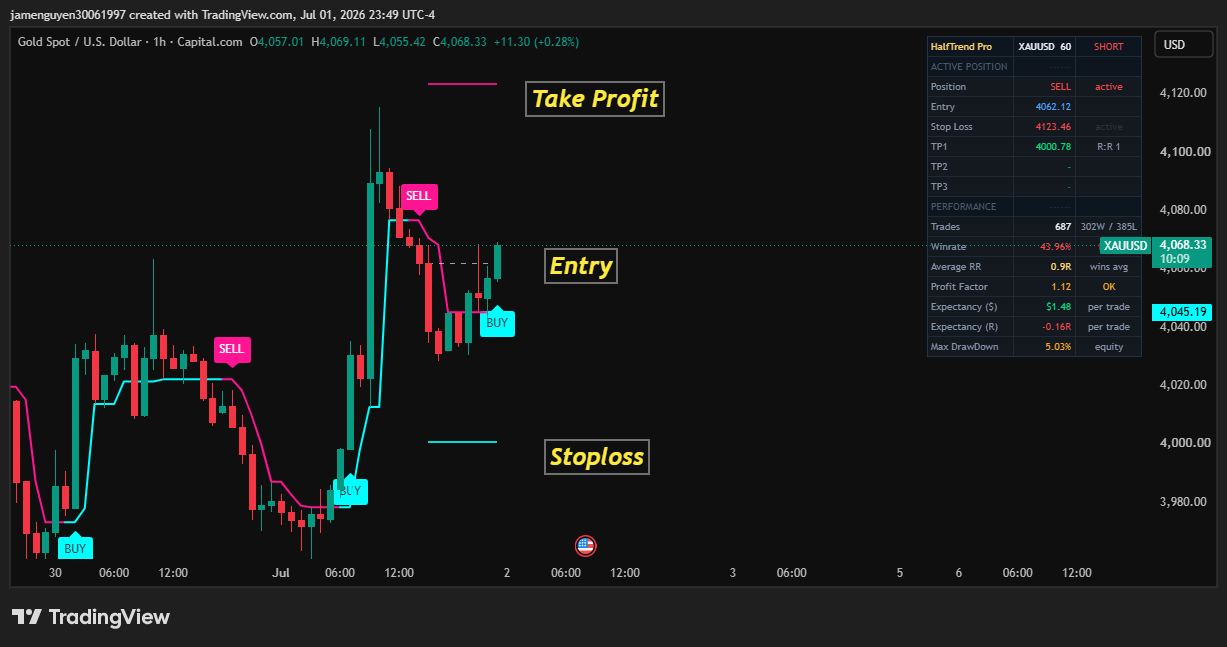
Every signal arrives with its levels already worked out and drawn ahead of price, so there is nothing to calculate by hand once a flip prints.
- the open of the bar after the flip is the entry reference, drawn as a dashed line;
- the protective stop is placed an ATR-scaled distance away, set by your Distance input, and floored at one tick so it is never zero;
- up to three targets (TP1, TP2, TP3) are projected at your chosen risk-to-reward ratios and drawn as lines above or below entry;
- once the first target is reached the stop shifts to break-even for the remaining targets, so a runner is protected;
- a trade that neither stops nor reaches target within your Max Bars In Trade is closed out, and an opposite flip force-closes the current trade before opening the new direction.
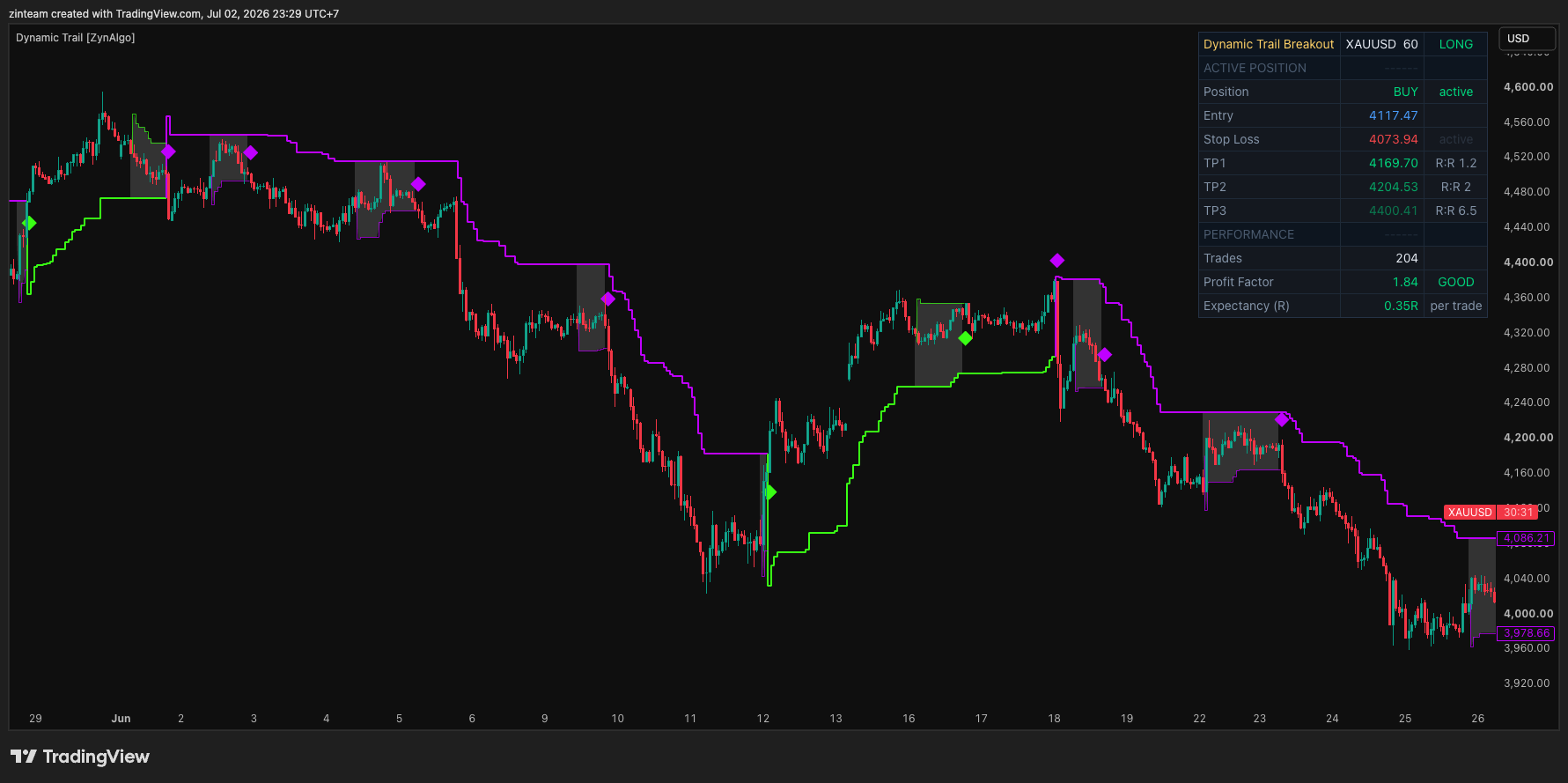
The dashboard in the corner is where the tool keeps score, and its header tells you the current state at a glance - READY when it is waiting, LONG or SHORT when a trade is live, or OFF SESSION when the time filter has signals paused. Below the header it splits into two blocks:
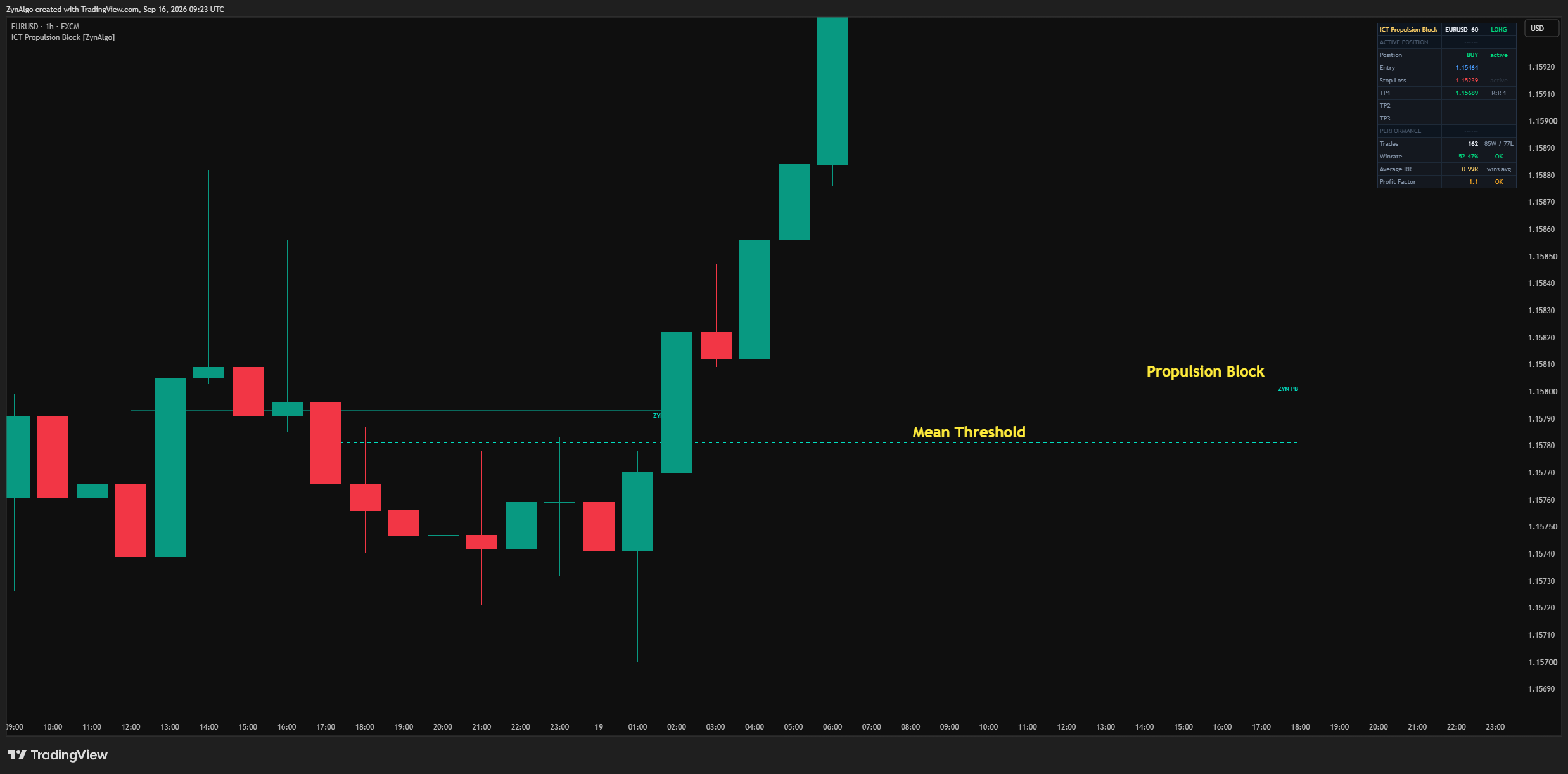
- Active position - the live Position, Entry, Stop Loss and each enabled target with its R:R ratio, plus a state tag that moves through active, break-even and the targets as they are hit;
- Performance - the number of Trades taken, the Profit Factor graded GOOD, OK or POOR, and the Expectancy in R per trade, so you can read how the current settings have actually behaved.
You control where the table sits and how large it is, and the whole performance panel can be switched off for a bare chart.
Keeping signals in your hours
An optional Session Filter restricts new entries to a time window you define, with a timezone you choose - the default is the New York cash session, and Exchange, UTC and other zones are available. When the filter is on and price is outside the window, no new trade is opened and the dashboard header reads OFF SESSION, while a trade already running still manages itself to its stop, target or timeout. Turn the filter off and every flip is eligible around the clock.
Who HalfTrend Pro fits
- Trend and swing traders: you want to trade in the direction of a confirmed turn rather than fade or scalp, and you want the turn defined mechanically.
- Plan-first traders: you want the entry, stop and targets drawn for you the moment a signal fires, not improvised after price has moved.
- Traders who size from risk: the ATR-scaled stop and R:R targets frame the trade before you commit, and the break-even shift protects a runner.
- Session traders: the time window keeps signals inside the hours you actually watch the market.
A flip that survives the noise and lines up with your session deserves more attention than one that fires in thin, off-hours trade. The turn is the setup; the plan is what you act on.
Browse the ZynAlgo marketplace
Risk note: HalfTrend Pro [ZynAlgo] is a charting and signal tool, not a guarantee of results. Signals, levels, projections and tracked statistics are analytical references only, and past behaviour does not predict future performance - always trade with your own plan and risk management.
- HalfTrend Pro [ZynAlgo] v1Aug 13, 2026