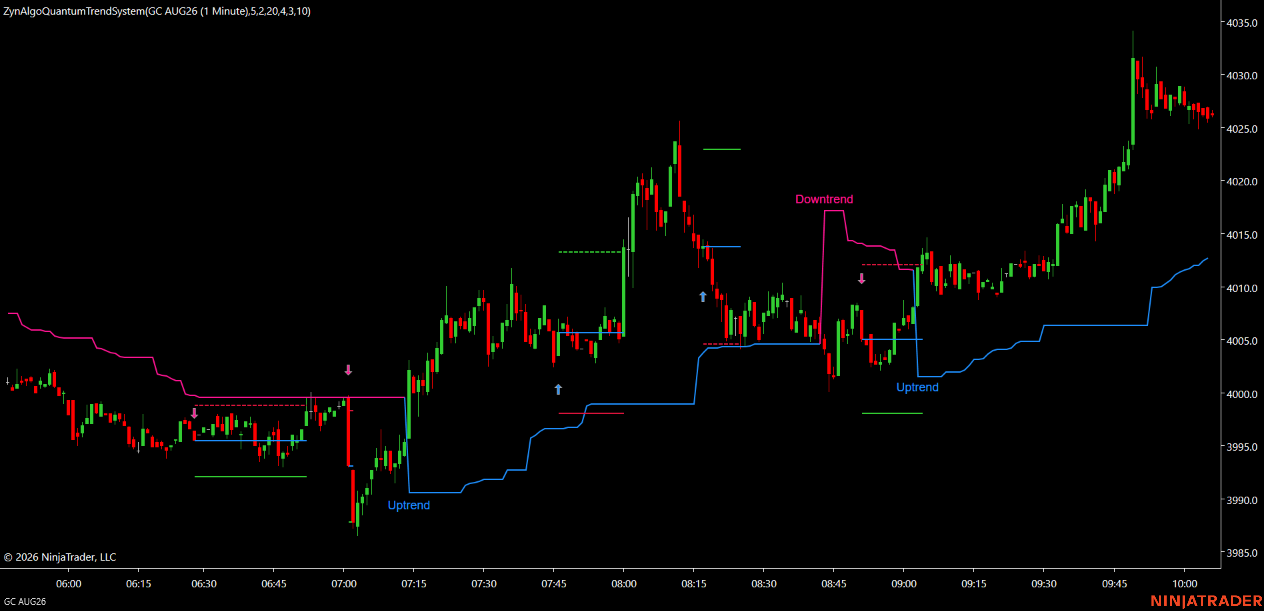
HalfTrend Pro [ZynAlgo]
A moving average tells you where price has been. HalfTrend Pro also tells you where the trade would sit: entry, protective level and target, projected the moment the trend state flips.
Key benefits
- Fewer false turns: the state only changes when recent structure is genuinely broken.
- Complete setups: each label arrives with entry, stop and target levels sized from volatility.
- Two-dial tuning: structural lookback and variance filter control signal frequency directly.
How it works It holds a directional state based on structural highs and lows, flips it when that structure is broken through the variance filter, then prints the label together with projected trade levels. The full walkthrough is in the Manual.
What's included / Platforms NinjaTrader 8 indicator, lifetime or membership access.
Best for Trend followers on intraday and higher timeframes who want the stop and target defined before they enter.
Get started See it on zynassets.com/marketplace.
Disclaimer: Trading involves risk. Projected levels are planning tools and do not guarantee future results.
HalfTrend Pro [ZynAlgo]
What HalfTrend Pro puts on your chart
Moving-average crossovers flip whenever price wobbles across a line. That is the source of most whipsaw: the line has no memory of structure, only of recent prices.
HalfTrend Pro tracks direction differently. It holds a directional state and only changes it when the recent structural high or low is genuinely taken out, with a variance filter deciding how much movement counts as genuine. Between flips the state simply holds, regardless of how price behaves inside the range.
When the state does flip, the tool prints the label and then does something most trend tools leave to you: it projects the entry, the protective level and the target for that setup, sized from current volatility and the risk ratio you configured, on NinjaTrader 8.
The role of the state flip
A trend tool has exactly one job: to be right about direction more often than it changes its mind. Everything else is presentation.
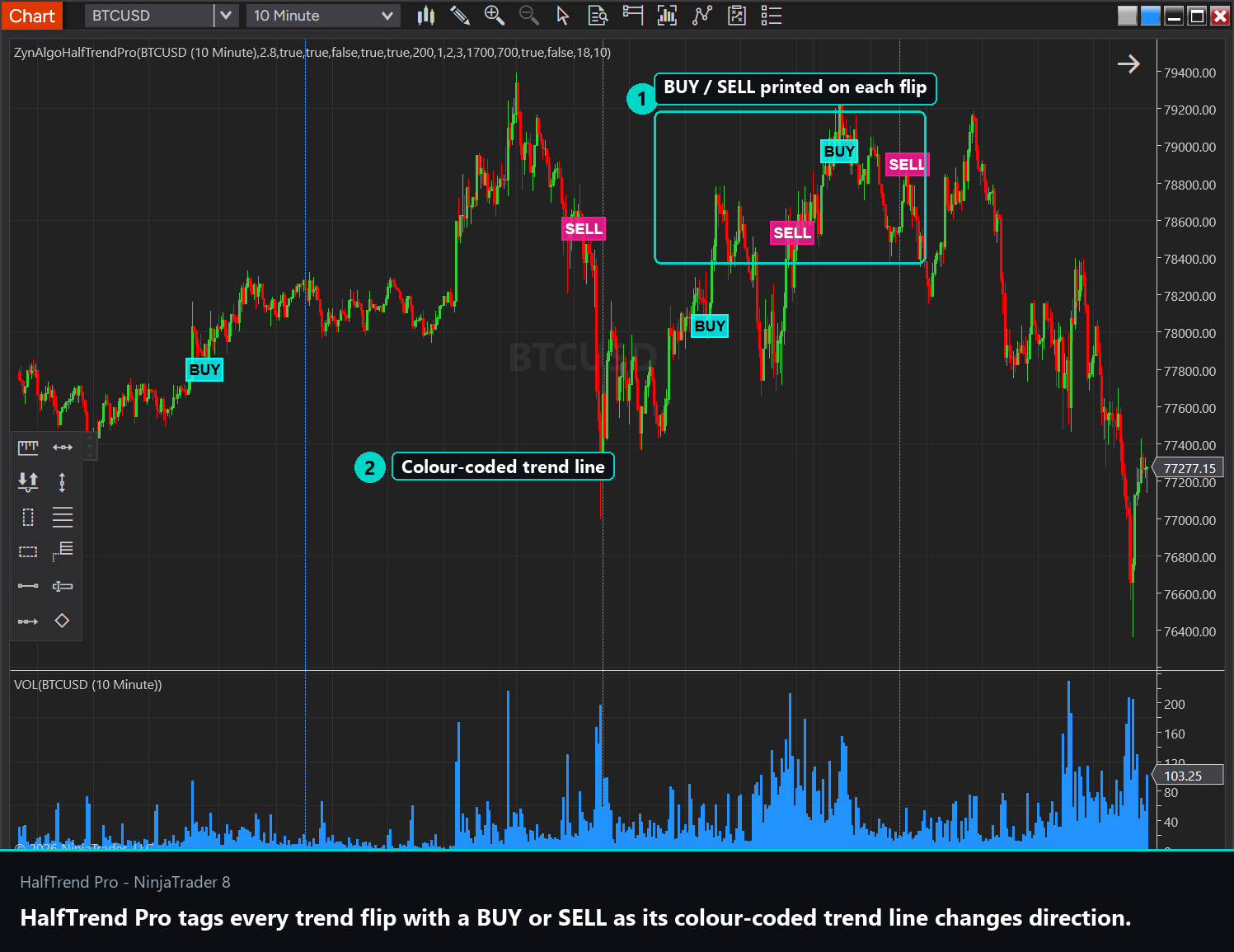
- A BUY label prints below the bar when the state turns bullish; a SELL label prints above the bar when it turns bearish.
- There is one label per flip. The tool does not repeat itself while a state holds, so the number of labels is the number of times direction actually changed.
- The mistake to avoid is treating a label as a fresh opportunity late in a move. The label marks the flip, and the flip happened at the start.
How the flip is defined
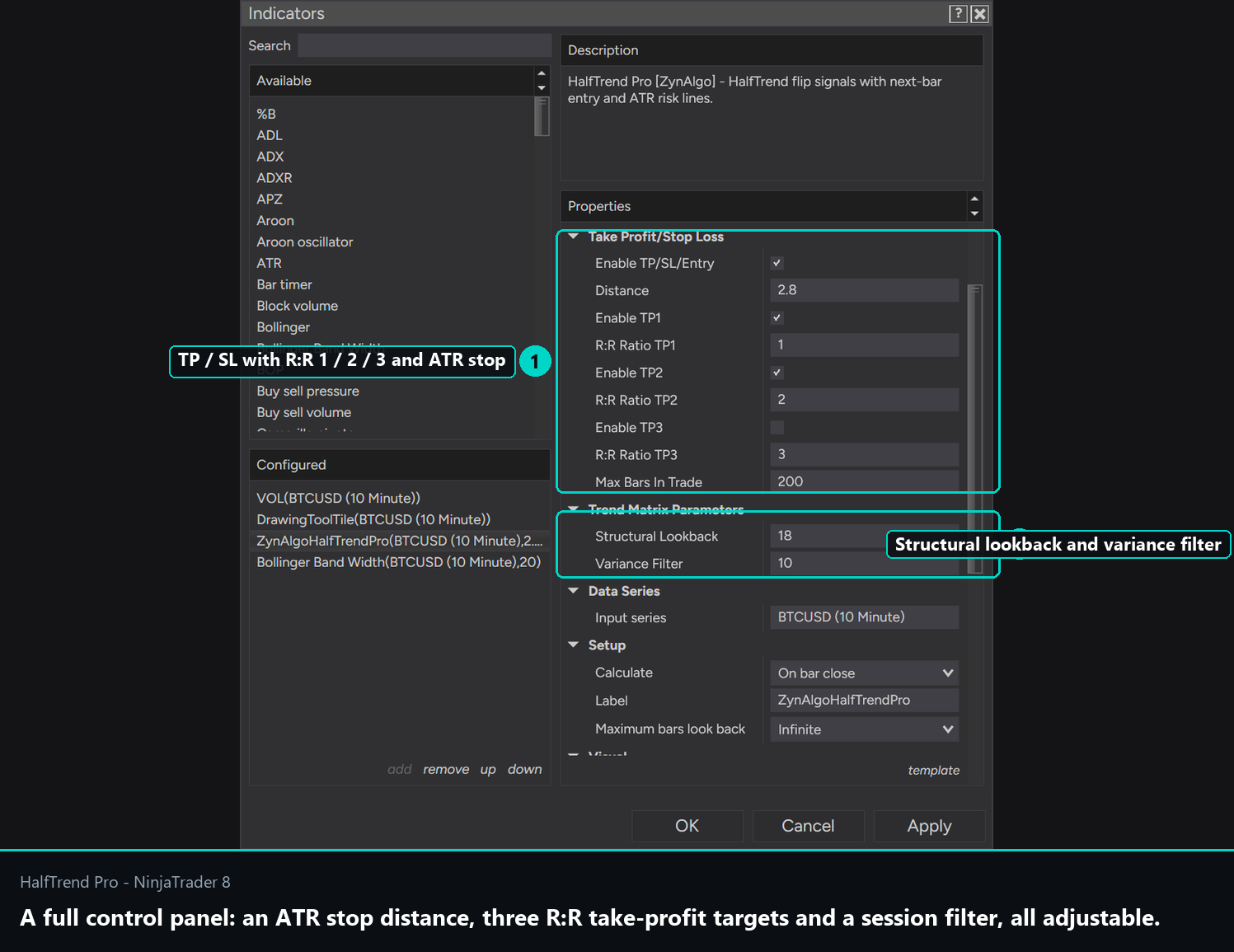
- Structural lookback controls how much recent structure the engine considers before accepting a change. Lower values react sooner and produce more flips; higher values wait for stronger confirmation. The useful range is small, roughly two to four.
- The variance filter decides how much movement counts as a real break rather than noise. Raising it removes marginal flips at the cost of entering later.
- These two settings are the whole tuning surface for signal frequency. Adjust one at a time and watch how the label count changes across the same chart section.
Trading the state flip
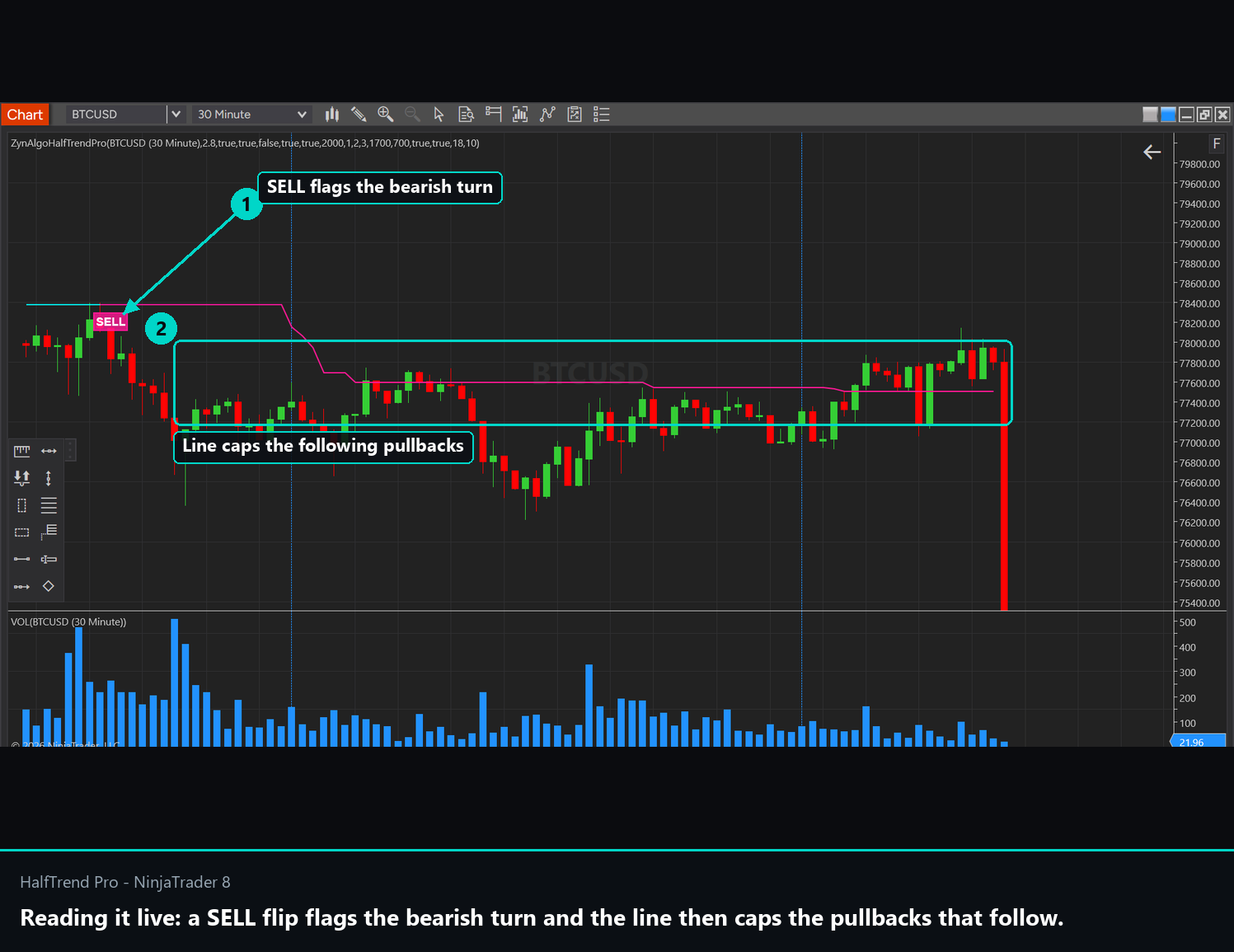
When a label prints, three reference levels are projected with it:
- The entry reference, taken from the flip bar.
- The protective level, set at a volatility-based distance so it adapts to conditions rather than sitting at a fixed number of points.
- The target, placed at the risk-to-reward ratio you configured against that protective distance.
Two settings shape how those behave. The volatility expansion factor controls how far the protective level sits from entry: tighter values control risk more strictly but get hit more often, wider values give the position room at the cost of a larger loss when wrong. The profit projection setting sets the ratio, with anything between 1.5 and 3.0 being a sensible working range.
There is also a reversal option. With it enabled, an opposite signal is treated as closing the current idea rather than simply appearing alongside it, which suits continuous trend-following. With it disabled you manage exits yourself.
This is a trend-following tool, so accept its trade-off honestly: it will lag a sharp reversal, and it will whipsaw in a range. Both are consequences of waiting for structure rather than reacting to price.
Best suited for
- Trend traders who want one clear directional state instead of several indicators disagreeing.
- Traders who plan the stop and target before entry and want those levels sized from volatility automatically.
- Anyone who prefers a small number of decisive signals to a stream of crossover alerts.
The value here is the state holding still when nothing has changed. The labels are just where it stops holding.
Browse the full ZynAlgo catalogue at zynassets.com/marketplace.
Trading involves risk. Labels and projected levels are planning references only, and trend-following signals can lag reversals or whipsaw in choppy conditions.
- HalfTrend Pro [ZynAlgo] v1Jul 17, 2026
Initial release