Trendline v5.0
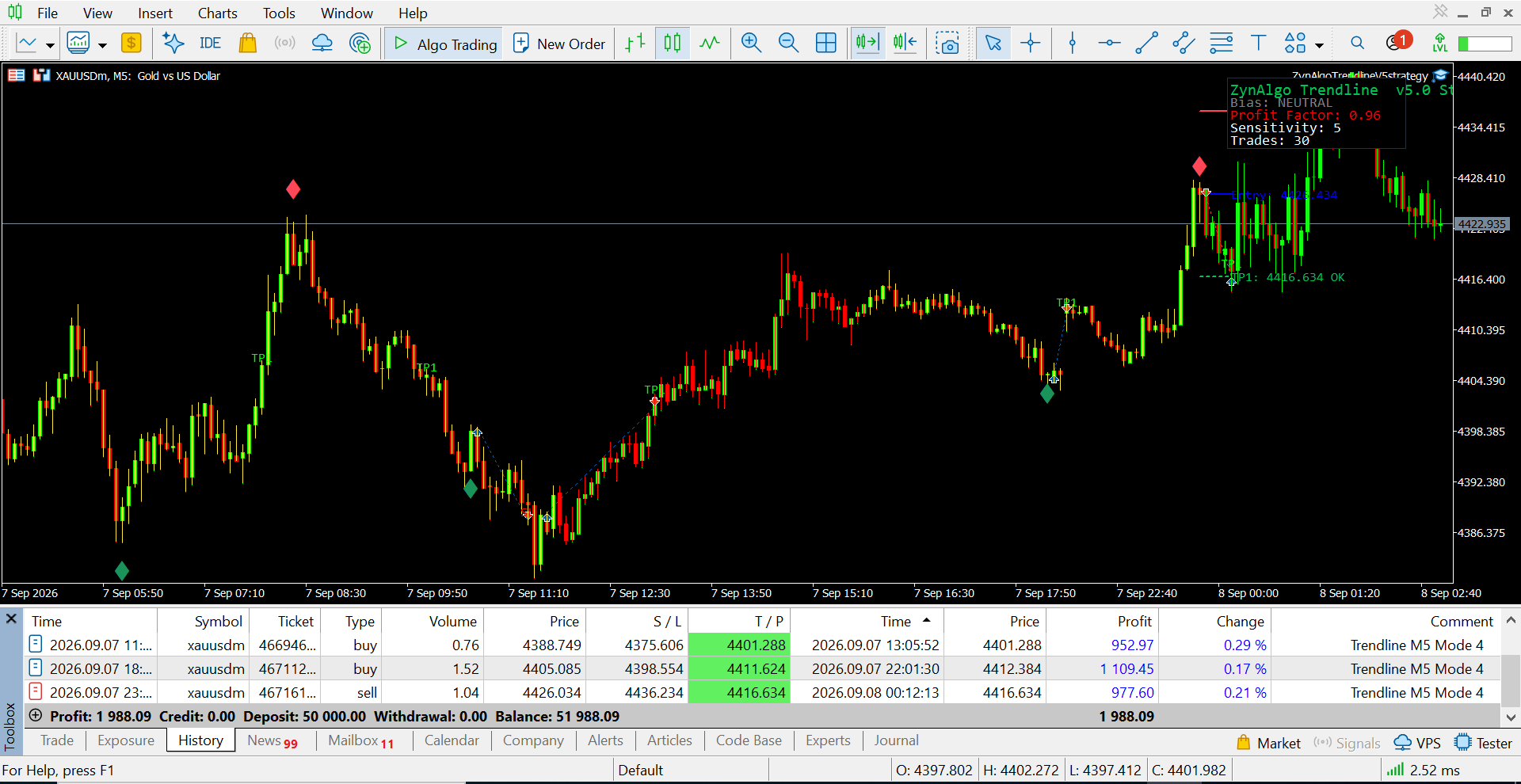
Trendline v5.0 turns choppy, directionless price action into clearly marked reversal setups on MetaTrader 4 - and paints the whole plan as clean lines and boxes right on the chart. Most tools fire an arrow every time RSI hits an extreme, even mid-trend. Trendline v5.0 waits for a genuine range first, then draws the reward zone, the risk zone and the result directly over price.
Key benefits
- Signals only where they belong - the default mode stays silent in trends and speaks up only in real ranges.
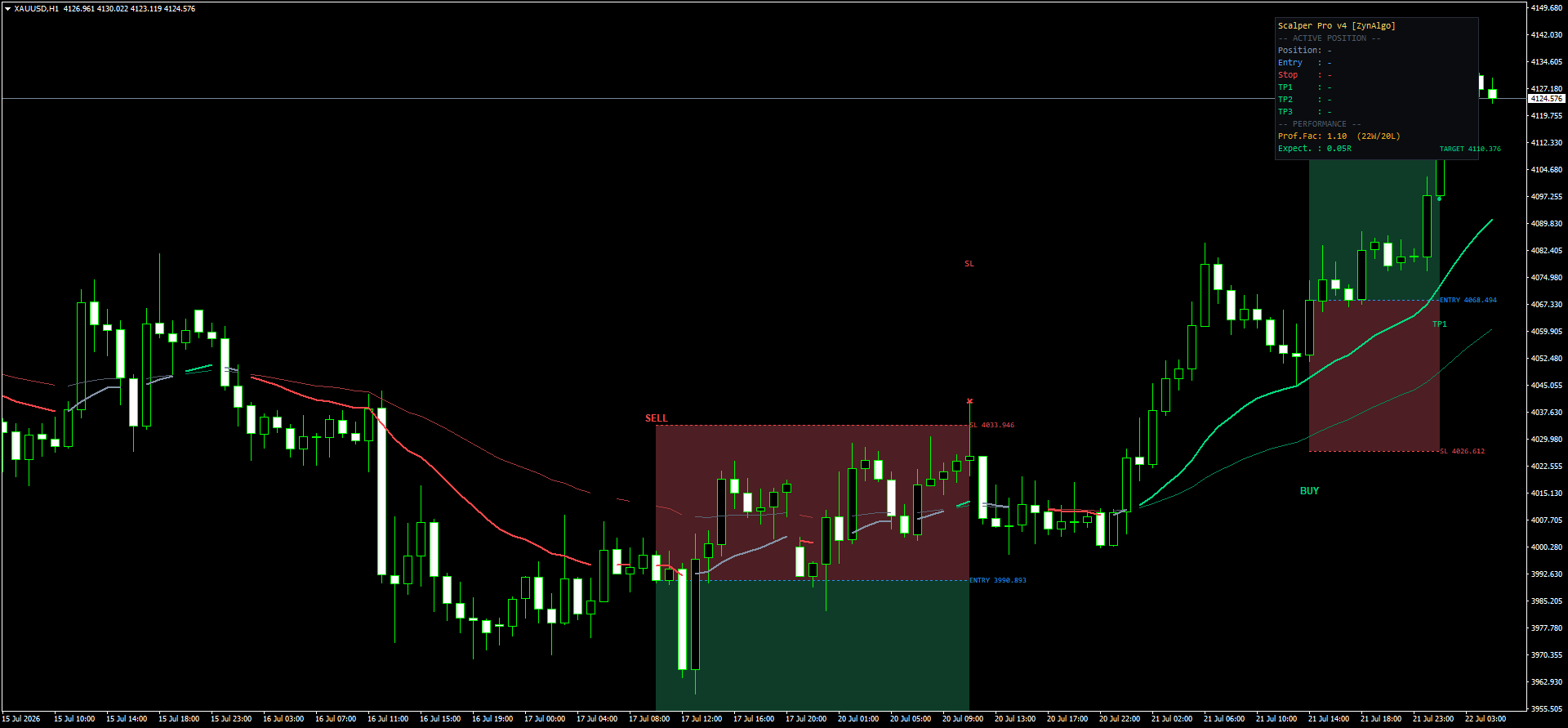
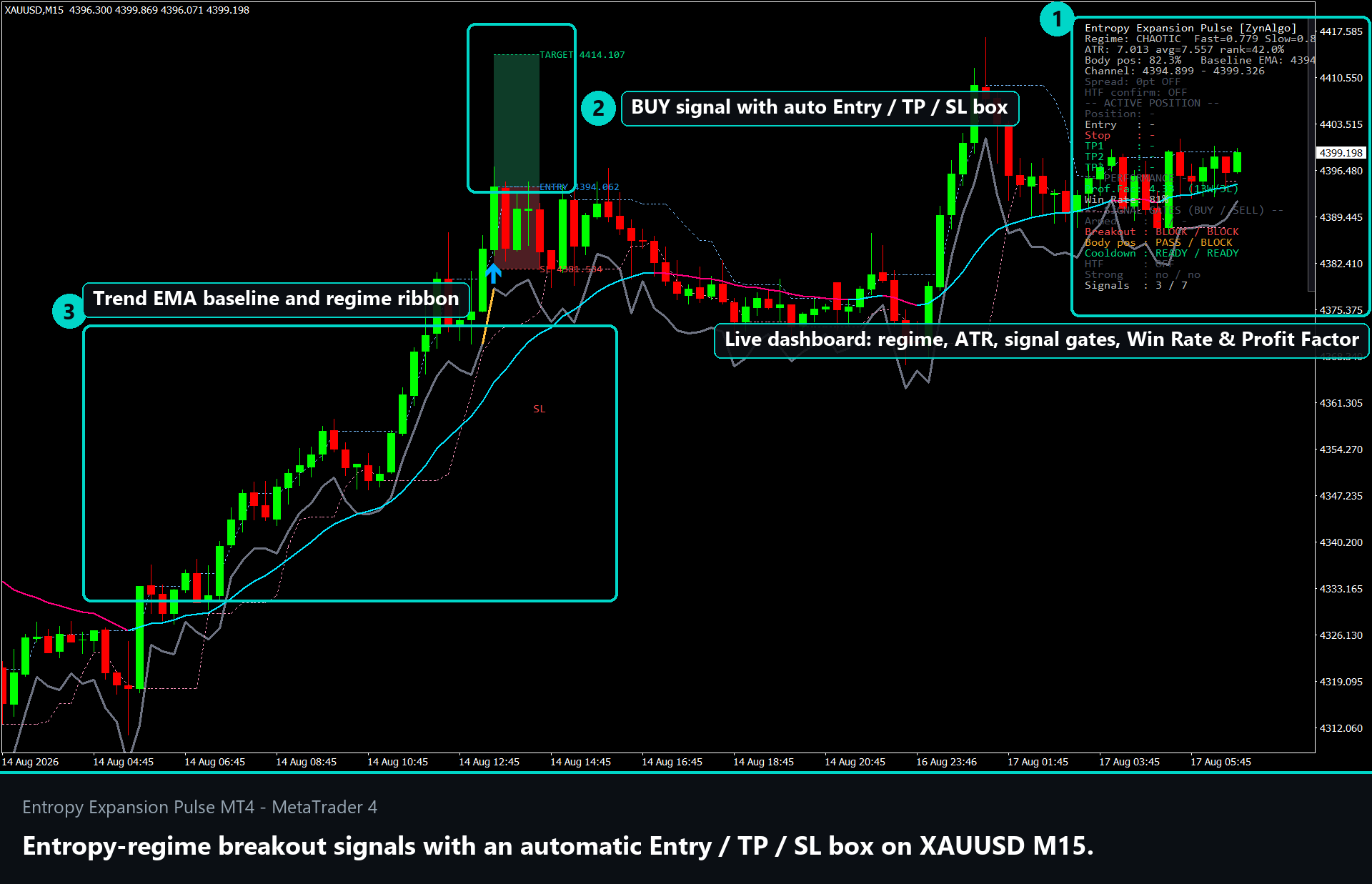
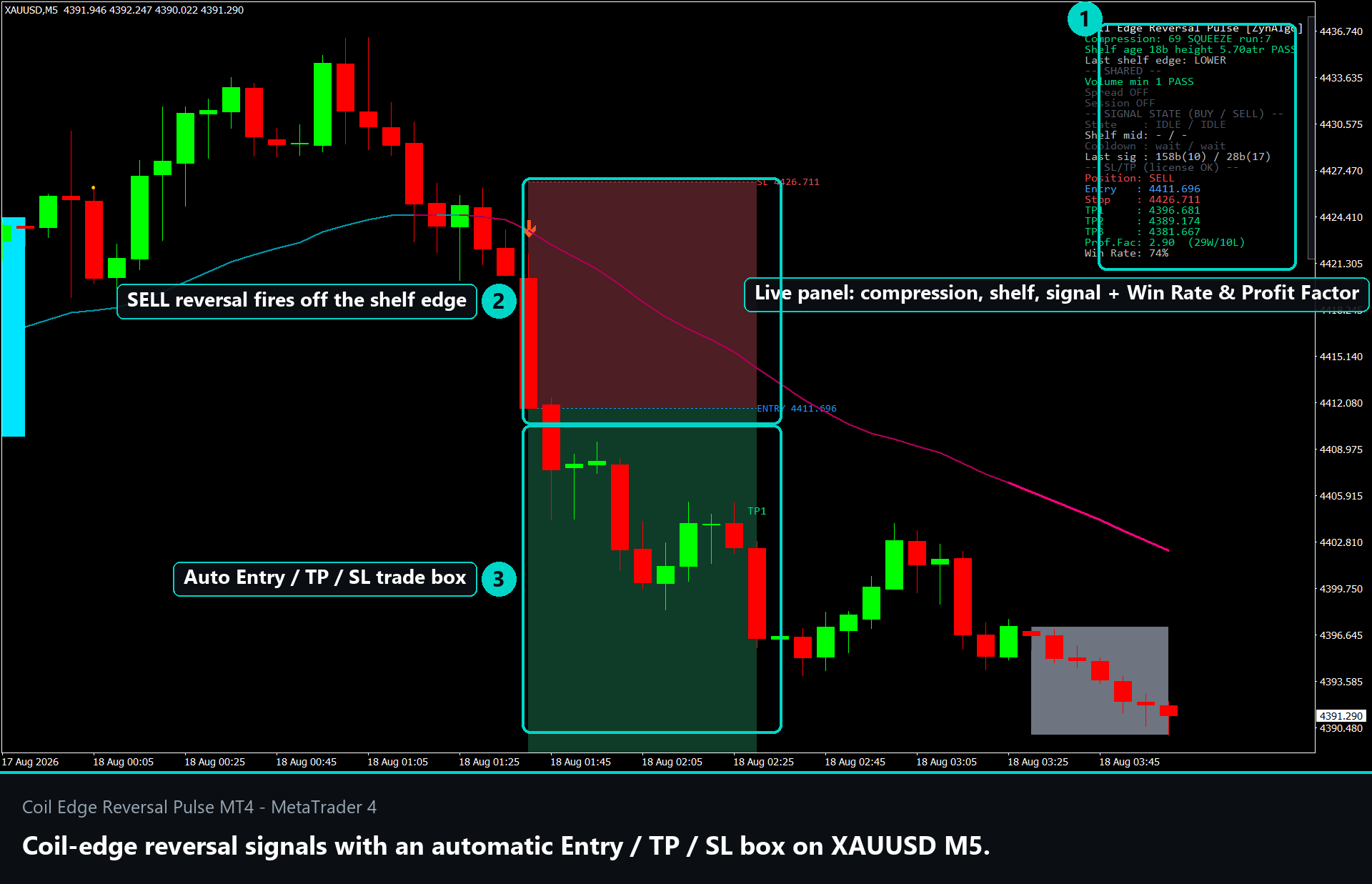
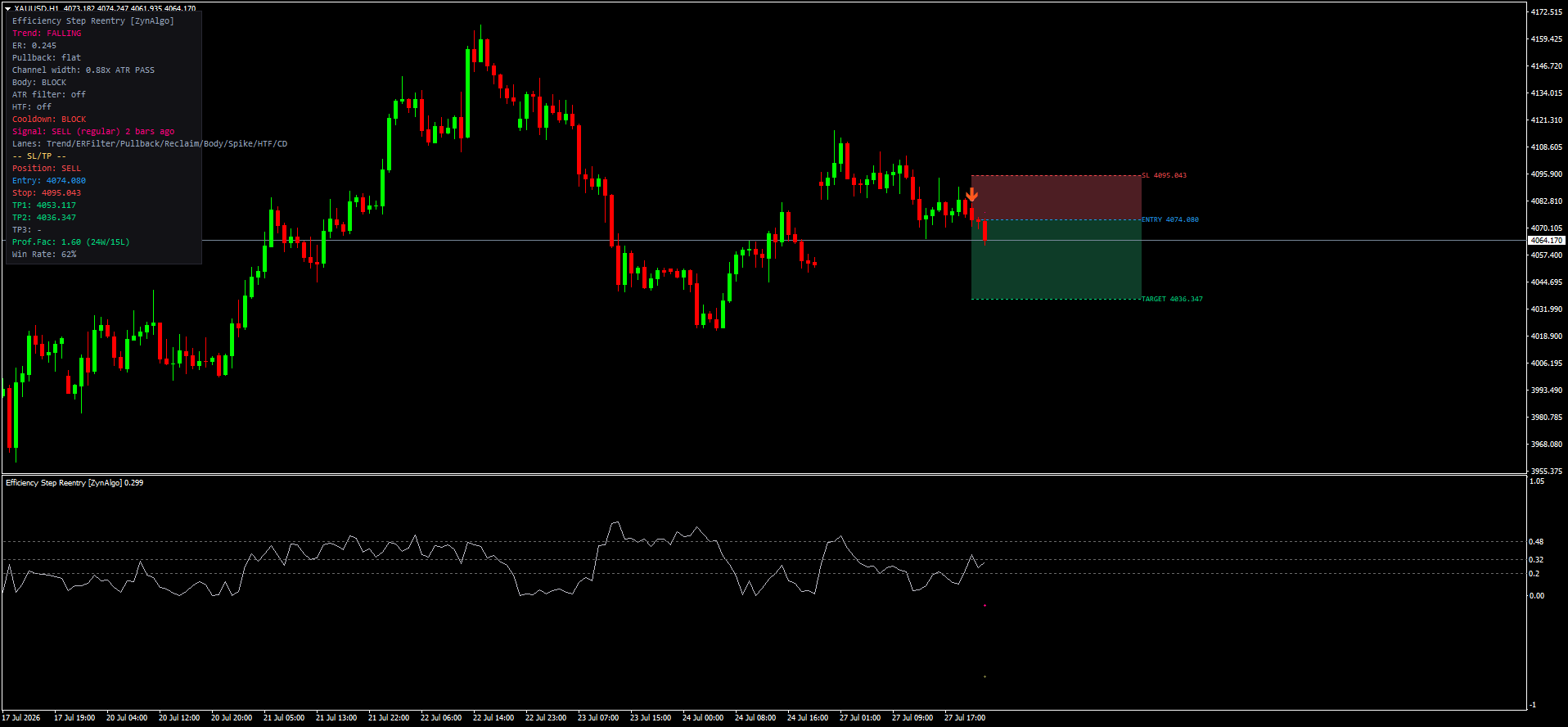
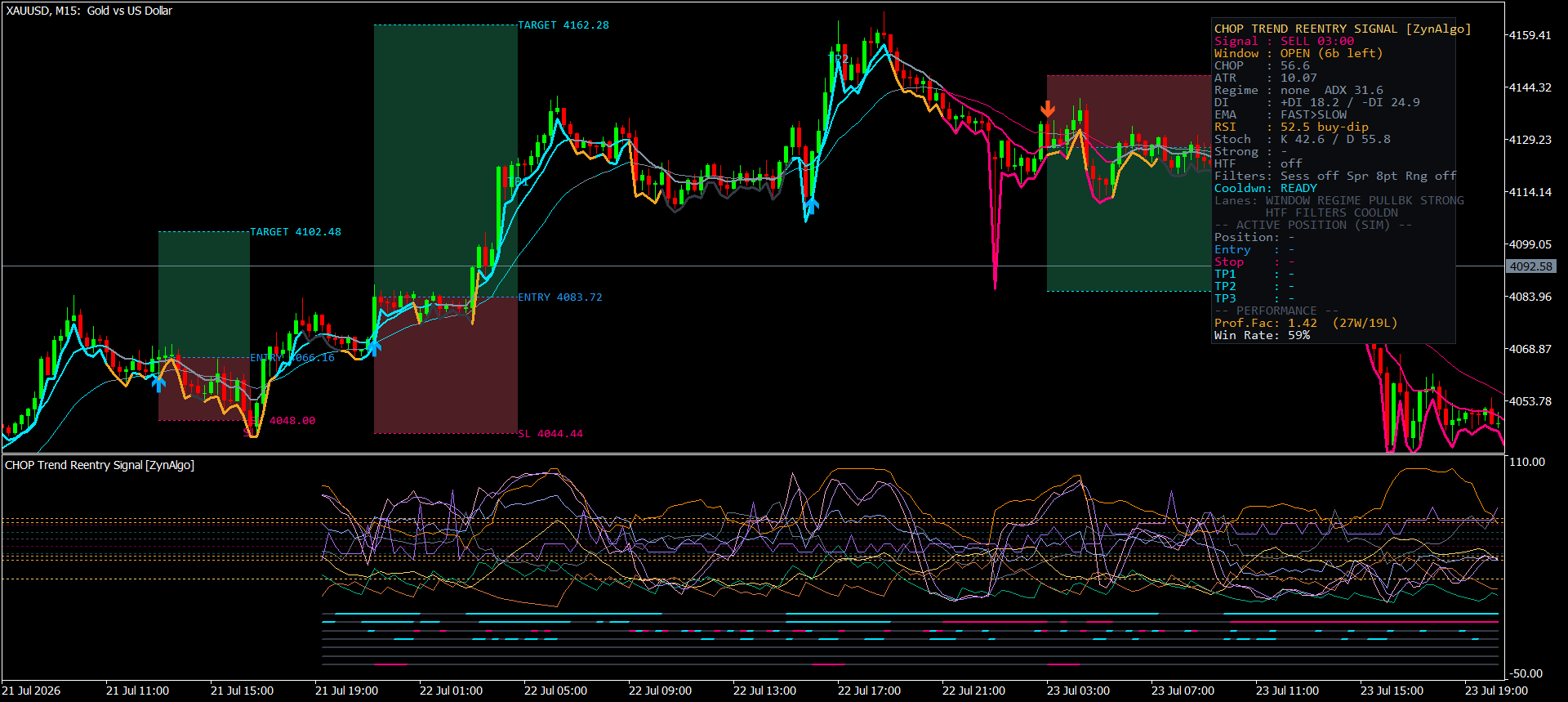
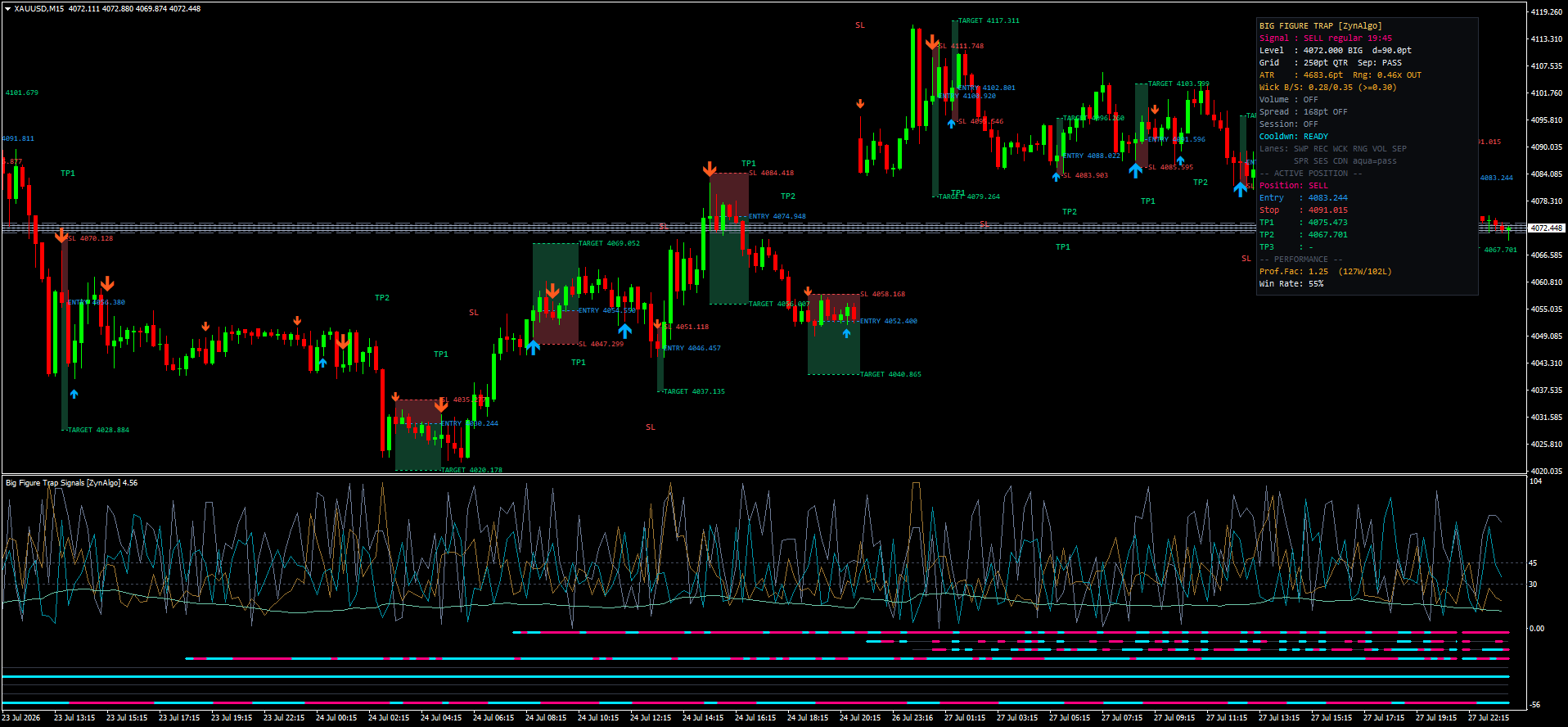
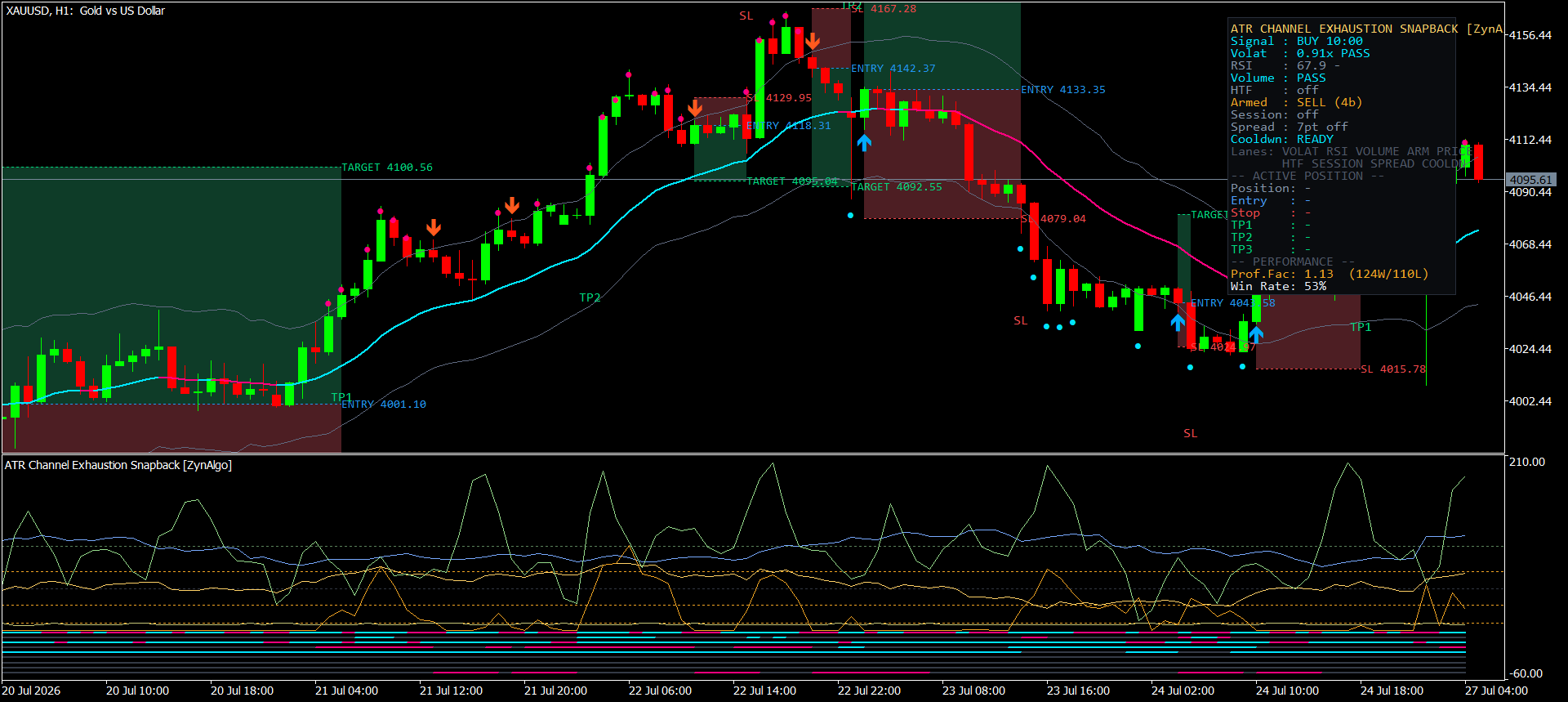
- A visual trade plan on every signal - Entry, an ATR-based stop and up to three targets are drawn instantly as a green reward box and a red risk box.
- See the outcome, not just the entry - each closed setup is stamped with a WIN xR or SL -1R label plus the bars it took, and small target dots mark every interim level reached.
- Four engines in one - switch to EMA-stack or RSI-crossover modes to read with the trend.
- Less signal spam - a built-in cooldown, optional Stability Mode, an optional Smart Signal Filter and a session-time window keep signals selective.
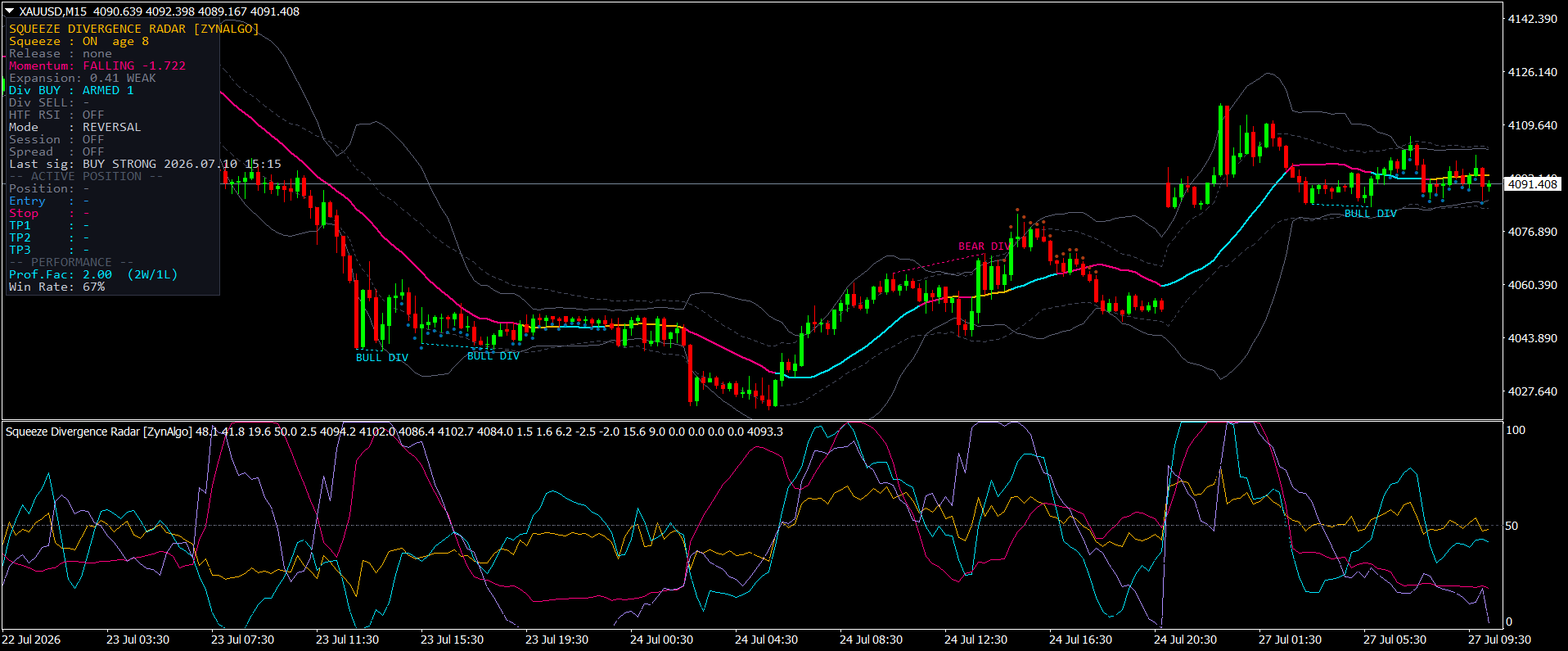
- A compact on-chart dashboard - a panel summarises mode, recent performance and the state of each open setup.
How it works
A stepped, range-based average classifies the market as rising, falling or flat and colours your candles to match. In flat conditions it waits for RSI to reverse at the edge of the recent range, then projects a reward/risk box forward from the entry. Full rules are in the Manual.
What's included
- MetaTrader 4 indicator file (.ex4)
- Four signal modes, adjustable Sensitivity and Signal Strength
- Automatic Entry / Stop Loss / TP1-TP3 drawn as reward and risk boxes with breakeven handling
- On-chart WIN / SL result labels, interim target dots and a compact performance dashboard
- Full manual with annotated chart examples and every input explained
Best for
FX majors, gold, index CFDs and large-cap crypto on M15 to H4 - for intraday and swing traders who prefer mean-reversion entries with a defined stop.
Get started
Browse the ZynAlgo marketplace
Trading involves risk; no indicator predicts the market. Trendline v5.0 is an analysis tool, not financial advice.
Trendline v5.0
Reading range reversals with Trendline v5.0
Trendline v5.0 is built around one question: is this market actually going somewhere right now, or is it just drifting? Rather than producing signals in every condition, its default engine deliberately stays quiet while a trend is running and only starts looking for entries once price has flattened out.
To make that judgement the indicator watches four things at once:
- A smoothed, range-based moving average that classifies the market as rising, falling or flat
- RSI - its level, and more importantly the bar on which it turns
- Where price sits inside the high-low range of the last 50 bars
- ATR(14), which sets how far the stop sits and how far the targets are spaced
Trendline v5.0 also ships three alternative engines for traders who prefer to read with the trend: Mode 1 (pullback onto a stacked EMA set), Mode 2 (the bar three EMAs first stack in order) and Mode 3 (a fast/slow crossover calculated on RSI). Mode 4 is the default (InpMode) and is the mode this manual focuses on.
The result is a smaller number of more selective reversal signals on MetaTrader 4 - and every one arrives as a fully drawn trade panel: a green reward box up to the target, a red risk box down to the stop, and a result label once the setup closes.
Understanding the Sentiment Range MA
The Sentiment Range MA is the component that decides whether Trendline v5.0 is allowed to signal at all. It is a stepped average that holds its value while price stays inside an ATR-sized band and only re-centres when price pushes out of that band. Because it moves in steps rather than tracking every tick, its slope is a clean read on whether the market is genuinely trending or simply oscillating.
What it looks like on the chart:
- The Sentiment Range MA is never drawn as a line - it is expressed through candle colour, so the chart stays clean
- Rising average produces uptrend candles (
InpColorUptrend); falling average produces downtrend candles (InpColorDowntrend); a flat average produces sideways candles (InpColorSideways) - The flat state is the one that matters: it marks stretches where price is rotating inside a range instead of advancing
- Candle colouring always comes from this Mode 4 average, even when you switch the indicator to Mode 1, 2 or 3
This is where a lot of traders go wrong. An oversold RSI reading feels like a buying opportunity in any market, so reversal signals get taken in the middle of a strong downtrend - where oversold simply means the trend is working. Trendline v5.0 removes that temptation by refusing to generate Mode 4 signals while the average is rising or falling.
How the Sentiment Range MA is defined
The pieces that build it, and what each one contributes:
- Wick-based candle range (high to low), smoothed over 5 bars - establishes the top and bottom edge the average reacts to
- Band width - derived from the average candle range over a long lookback - sets how far price must travel before the average is allowed to move
- Stepped anchor - the average re-centres on close only when the smoothed top or bottom breaks outside the current band, which is what removes the noise
- Double smoothing - a weighted average applied on top of a simple average, producing the final, gently curving output
- Slope test against a tiny threshold - converts that output into the three states: rising, falling, or flat
- RSI(14), shifted by the Sensitivity setting (
InpSensitivity) - supplies the actual reversal trigger once the flat state is confirmed - 50-bar high-low range - provides the top and bottom zones a signal must occur in
- ATR(14) - used only for stop distance and target spacing, not for signal logic
When trading opportunities appear
In the default Mode 4, a BUY is printed only when all of the following are true on the same bar:
- The previous bar's RSI closed below its oversold level
- That RSI reading was lower than the reading two bars ago - momentum was still falling
- The current RSI has turned back up above the previous bar's value
- Price is sitting in the bottom portion of the last 50 bars' range
- The Sentiment Range MA is flat (sideways candles)
- Enough bars have passed since the last BUY (cooldown)
A SELL is the exact mirror: previous RSI above its overbought level, higher than two bars ago, current RSI turning back down, price in the top portion of the 50-bar range, flat Sentiment Range MA, and the cooldown clear.
Every signal is drawn the same way. The entry is a bull signal marker below the bar for a BUY (InpColorBullSignal) and a bear signal marker above the bar for a SELL (InpColorBearSignal), and the moment it fires Trendline v5.0 draws the full plan:
- Green reward box - from the Entry up (BUY) or down (SELL) to the active target, with a dotted target line (
InpColorTpLine) - Red risk box - from the Entry to the Stop Loss, with a dotted stop line (
InpColorSlLine), so the reward-to-risk is visible at a glance - Dotted Entry line - the close of the signal bar (
InpColorEntryLine) - Interim target dots - one prints each time an earlier target is reached while price keeps running your way (
InpColorTpMarker) - Result label - when the setup closes the box is stamped WIN xR (target reached), TP +xR (closed in profit after a partial target) or SL -1R (stop hit), together with how many bars it took
- Stop marker - marks a clean stop-out where no target was reached first (
InpColorSlMarker)
Read the entry marker together with the RSI turn and the candle colour that produced it - that is the reason the signal fired.
Filters that thin the signals
Before a raw signal becomes a printed one it still has to clear the shared filters:
- Cooldown - a bar gap is enforced after every printed signal, in every mode
- Stability Mode (
InpStabilityMode, off by default) - blocks any new signal while a setup is still open - Smart Signal Filter (
InpSmartSignalFilter, off by default) - forces signals to alternate, so a BUY cannot follow a BUY - Session Filter (
InpUseSession, off by default) - when enabled, new signals are only allowed inside the server-time window set inInpSession(default0700-1800), so the tool can sit out quiet or unwanted hours - Follow Trend (
InpFollowTrend, off by default) - permits BUY only in a bullish trend bias and SELL only in a bearish one. Note that switching this on works against Mode 4's mean-reversion character - Multi-timeframe filter - applied to Modes 1-3 only; Mode 4 skips it because the Sentiment Range MA already performs that job
How the levels are drawn
Every printed signal draws its own levels. Entry is the close of the signal bar. The stop sits ATR(14) x InpSlAtrMultiplier (2.8 by default) away from entry. Each target is a multiple of that risk: TP1 (InpEnableTp1) at InpRR1 = 1R and enabled by default, TP2 (InpEnableTp2) at InpRR2 = 2R and TP3 (InpEnableTp3) at InpRR3 = 3R available but switched off. With TP2 or TP3 turned on, a breakeven stop activates once TP1 is reached. Any setup still open after InpMaxTradeDuration bars (200 by default) is closed out at the current price for the on-chart dashboard and result label.
Inputs
InpMode(defaultMode 4): Signal engine: Mode 1 (EMA pullback), Mode 2 (EMA stack), Mode 3 (RSI crossover), Mode 4 (range reversal)InpSensitivity(default5): Shifts the RSI trigger; higher is more selectiveInpSignalStrength(default0): Additional filter on how strong a qualifying signal must beInpStabilityMode(defaultfalse): Blocks a new signal while a setup is still openInpSmartSignalFilter(defaultfalse): Forces BUY/SELL signals to alternateInpUseSession(defaultfalse): Restrict new signals to a server-time windowInpSession(default0700-1800): The session window (server time, HHMM-HHMM)InpFollowTrend(defaultfalse): Only signal in the direction of the higher trend biasInpEnableTpSlEntry(defaulttrue): Draw the Entry / SL / TP boxes and linesInpSlAtrMultiplier(default2.8): Stop distance as an ATR(14) multipleInpEnableTp1(defaulttrue): Enable target 1InpRR1(default1.0): Reward-to-risk ratio for TP1InpEnableTp2(defaultfalse): Enable target 2InpRR2(default2.0): Reward-to-risk ratio for TP2InpEnableTp3(defaultfalse): Enable target 3InpRR3(default3.0): Reward-to-risk ratio for TP3InpMaxTradeDuration(default200): Bars after which an open setup is closed for the dashboard/result labelInpEnableBbCloud(defaulttrue): Show the Bollinger-style cloud zonesInpCalculateBars(default2000): Bars used for the statistics windowInpColorUptrend(defaultgreen): Candle colour when the average is risingInpColorDowntrend(defaultred): Candle colour when the average is fallingInpColorSideways(defaultyellow): Candle colour when the average is flatInpColorBullSignal(defaultgreen): Bull signal marker colourInpColorBearSignal(defaultred): Bear signal marker colourInpColorEntryLine(defaultblue): Entry line colourInpColorTpLine(defaultgreen): Target line colourInpColorSlLine(defaultred): Stop line colourInpColorSlMarker(defaultred): Stop-out marker colourInpColorTpMarker(defaultgreen): Interim target dot colourInpBbUpperColor1/InpBbUpperColor2(defaultteal): Upper cloud zone coloursInpBbLowerColor1/InpBbLowerColor2(defaultred): Lower cloud zone coloursInpBbTransparency1/InpBbTransparency2(default70 / 85): Cloud transparency (0-100)InpDashBgColor(defaultblack): Dashboard backgroundInpDashTextColor(defaultwhite): Dashboard textInpAccessKey(default(empty)): Your ZynAlgo access key (see Installation)
Installation and license
- In MetaTrader 4, open File -> Open Data Folder, then go to
MQL4\Indicatorsand copy inZynAlgoTrendlineV5.ex4. - Right-click the Indicators node in the Navigator panel and choose Refresh, then drag Trendline v5.0 onto a chart.
- Trendline v5.0 verifies a valid ZynAlgo access key every time it runs, so tick Allow DLL imports in the indicator's Common tab (and in Tools -> Options -> Expert Advisors) - the license check uses a DLL to confirm your key.
- Provide your key one of two ways: paste it into the
InpAccessKeyinput, or let the ZynAlgo installer place it in themarket.datfile inside the terminal's Common\Files folder. If the key is installed there,InpAccessKeycan be left empty.
If the chart shows no signals and the dashboard reports a licensing problem, confirm the key is correct and that DLL imports are allowed.
Is Trendline v5.0 right for you?
Trendline v5.0 suits you if you recognise yourself here:
- You trade ranges and reversals rather than chasing breakouts
- You work on intraday to swing timeframes - M15 through H4 is the natural home for the default settings
- You trade liquid instruments that spend real time going sideways: FX majors, gold, index CFDs, large-cap crypto
- You want a defined stop and target drawn on every signal instead of deciding levels in the moment
- You would rather wait for a handful of well-located setups than act on every oversold reading
If you are a pure trend-follower who wants to be in every move, the default mode will feel too quiet - start with Mode 1 or Mode 2 instead.
Trendline v5.0 is deliberately built to say no more often than it says yes. Its value is in the setups it filters out, not the number of arrows it prints.
Browse the ZynAlgo marketplace
Trading involves risk. Signals are analytical tools, not financial advice, and past behaviour does not predict future results.
- Trendline v1Aug 13, 2026