Efficiency Step Reentry
One trend, one entry - that is the trap most pullback tools set. Efficiency Step Reentry [ZynAlgo] for MetaTrader 4 stays armed for as long as its adaptive baseline holds direction, so every clean retrace that gets reclaimed can signal again.
Key benefits
- More entries per trend - armed while the baseline holds, instead of resetting after one signal
- Sensitivity that adapts - an Efficiency Ratio decides whether the baseline chases price or flattens out
- Two named tiers - regular and strong signals are labelled, so quality is never a guess
- Eight visible veto lanes - trend, efficiency, pullback, reclaim, body, spike, higher timeframe and cooldown each show their state
- Guide levels included - stop and R-based targets drawn on request
How it works
An Efficiency Ratio over 20 bars measures how much of the recent range was genuine directional travel. That reading drives a stepped adaptive baseline and an ATR channel; a retrace into the far half that closes back through the baseline becomes the signal. Full rules in the Manual.
What's included
- MetaTrader 4 indicator file (.ex4)
- Full manual with annotated chart examples
- All thresholds open: efficiency levels, channel multiplier, body filter, cooldown, optional higher-timeframe check
Best for
Trend traders on gold at M5-M15, forex majors and crypto at M15-H1 who want continuation entries rather than reversal calls.
Get access
-> Stop taking one entry per trend: ZynAlgo marketplace. Trading involves risk - this is an analysis tool, not trading advice.
Efficiency Step Reentry
Why one trend can pay you more than once
Most pullback tools treat a trend as a single event: one flip, one entry, then silence until the next flip. Efficiency Step Reentry [ZynAlgo] is built the other way round. While its adaptive baseline keeps pointing the same way the trend stays armed, and every clean retrace that gets reclaimed is allowed to signal again.
Sensitivity is not fixed either. A Kaufman-style Efficiency Ratio measures how much of the recent range was real directional travel rather than back-and-forth noise, and that number decides how fast the baseline is allowed to react.
What it measures on your chart:
- Efficiency Ratio over 20 bars - the share of movement that actually went somewhere
- An adaptive baseline that speeds up towards a 2-period response in clean trends and slows towards 30 in chop
- An ATR(14) step channel drawn 1.15 x ATR either side of that baseline
- Retrace depth against the channel half, with a 0.20 ATR tolerance
- Candle body ratio, channel width, and an optional higher-timeframe baseline check
- EMA 8 against EMA 21, used only to separate regular signals from strong ones
The result is a trend-following signal tool for MetaTrader 4 that keeps working inside a move instead of waiting for the next reversal.
The step channel, and what efficiency changes
The baseline is the spine of this indicator. It is a stepped adaptive average: in a clean directional push it hugs price closely, and as soon as efficiency drops it flattens out and stops chasing every candle. The channel around it is the working area - the band price is allowed to retrace into while the trend is still considered intact.
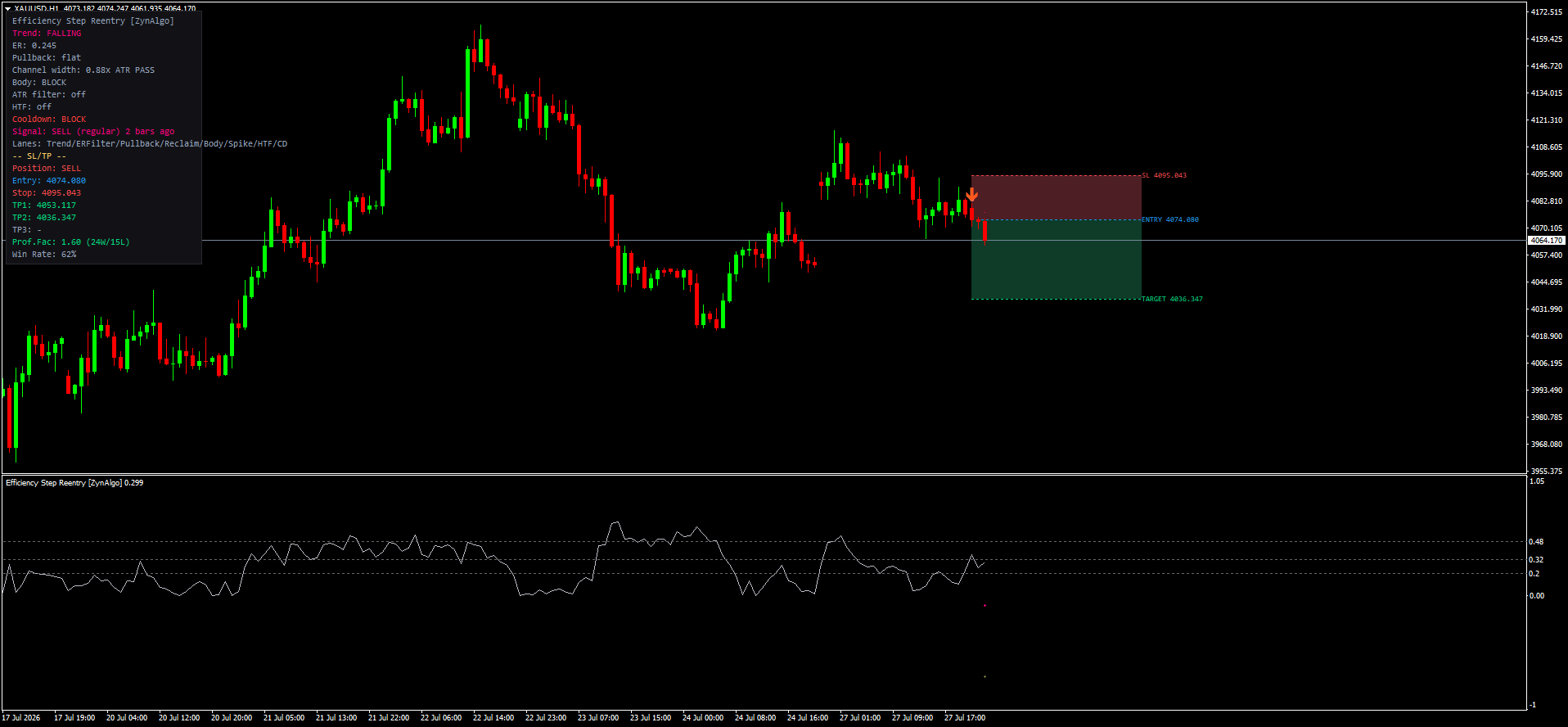
- The baseline is colour-coded by direction, and the status panel names it RISING, FALLING or FLAT
- The two channel bands sit 1.15 x ATR(14) above and below the baseline
- A separate pane plots the raw Efficiency Ratio with a heat ribbon, so you can see efficiency building or collapsing before price confirms it
- Channel width is reported in ATR terms on the panel; a channel wider than 2.8 ATR means the market just spiked and signals are held back
- The panel also carries Signal, Position, Entry, Stop, TP1-TP3, Prof.Fac and Win Rate rows from the built-in simulation
The classic mistake here is reading a shallow dip as weakness and stepping aside, then watching the trend continue without you. The opposite mistake is buying every dip regardless of whether momentum still exists. The efficiency reading is what separates the two.
How an armed pullback is defined
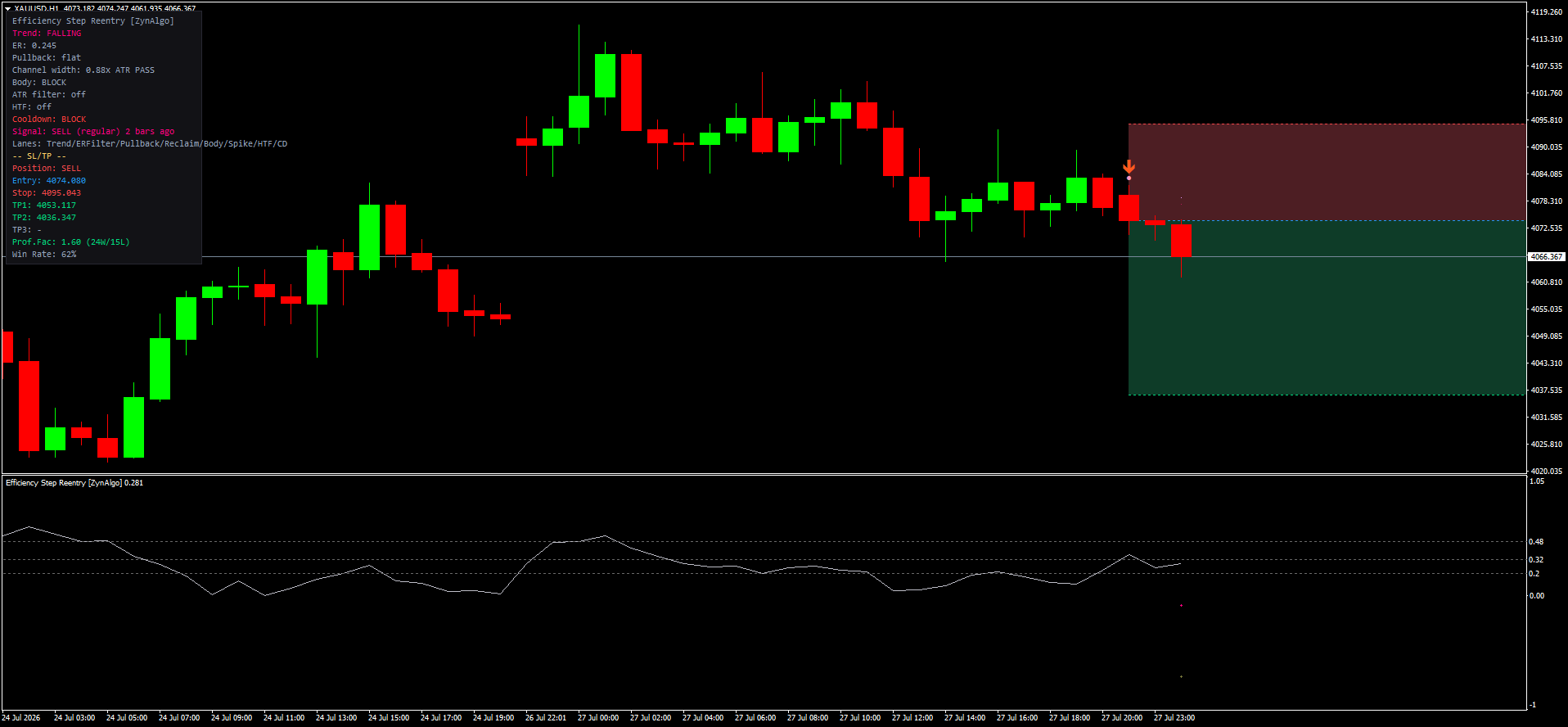
A retrace is only allowed to arm a signal when all of these agree on a closed bar:
- Direction - the step baseline must already be rising for a long setup, or falling for a short one
- Efficiency - ER(20) has to be above 0.32, or rising for three consecutive bars
- Depth - price must trade into the far half of the step channel, within 0.20 ATR tolerance, without closing beyond the channel stop
- Patience window - the setup stays armed for up to 12 bars; after that it expires quietly
- Reclaim - the signal bar must close back through the baseline in the trend direction, with close above open for a long and below open for a short
- Body quality - that reclaim candle needs a body worth at least 25% of its range
Regular, strong, and the eight lanes that can veto a signal
Signals print in two tiers and both are labelled, so you never have to guess why an arrow appeared.
- Regular - the six conditions above are satisfied. The panel shows the direction followed by (regular)
- Strong - a regular signal that also has ER(20) above 0.48 and EMA(8) on the correct side of EMA(21). The panel shows (strong)
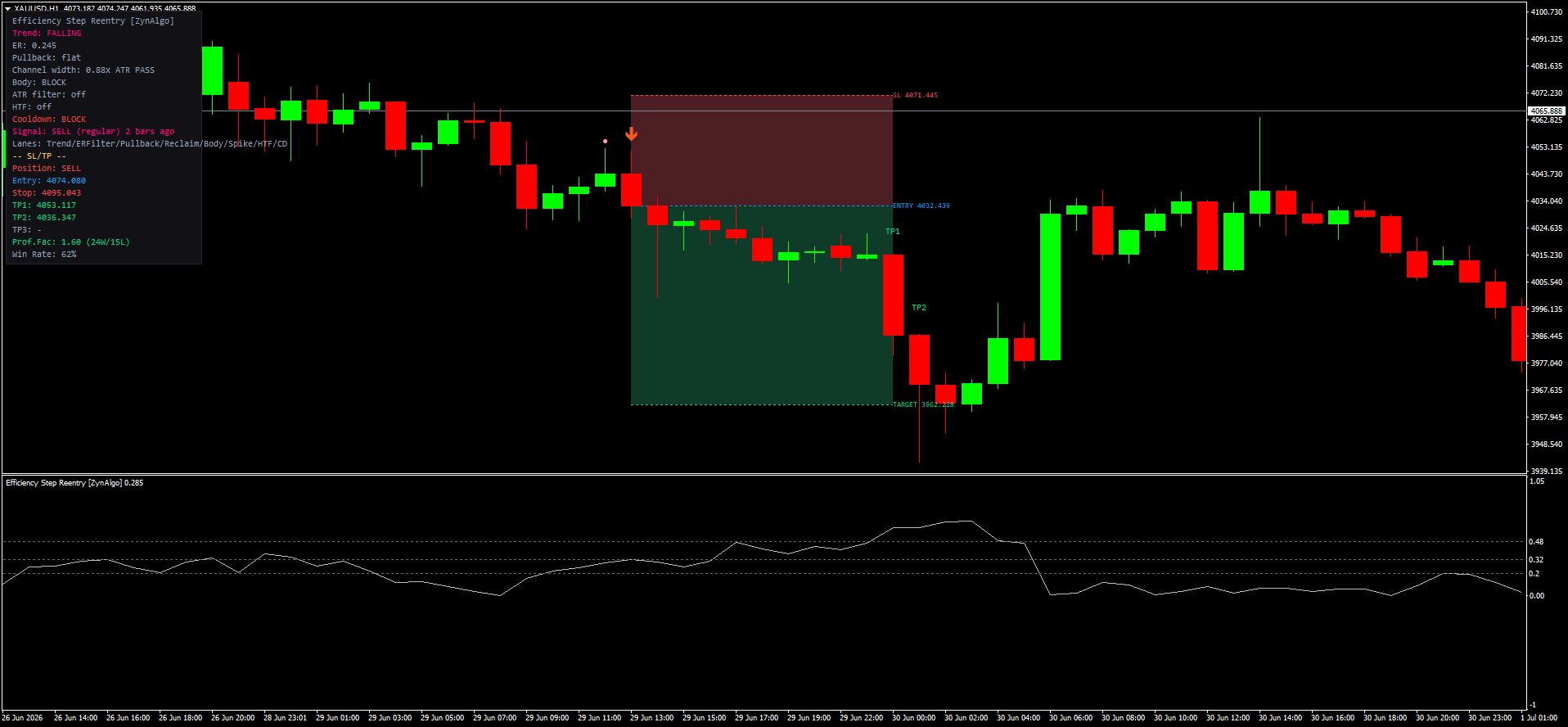
The status panel exposes eight lanes - Trend, ERFilter, Pullback, Reclaim, Body, Spike, HTF and Cooldown - and any one of them can hold a signal back:
- Spike blocks when channel width exceeds 2.8 ATR, which is what usually follows a news candle
- Cooldown enforces at least 5 bars between signals in the same direction
- HTF is optional and off by default; switch it on and the H1 baseline must agree before a signal is released
- ERFilter blocks while ER(20) is under 0.20 and still falling - efficiency has collapsed and the trend is done for now
When TP/SL logic is enabled the tool also draws a box: stop 0.20 ATR beyond the opposite channel band, TP1 at 1.0R and TP2 at 1.8R, with TP3 at 2.6R available but off by default. Those levels are drawn as guides, not orders - position size, execution and risk stay with you.
Who gets the most out of it
Efficiency Step Reentry [ZynAlgo] suits traders who already trade with the trend and want more than one shot at it:
- Intraday traders on gold at M5 to M15, where a single session can produce several reentry pulses
- Forex majors at M15 to H1 and crypto at M15 to H1, where trends run long enough for the baseline to matter
- Traders who want a visible reason for every signal rather than an arrow with no explanation
- Anyone who keeps missing continuation entries because their moving average reacted too late
It is a poor fit for range traders and for anyone looking for reversal calls - by design it says nothing until a trend already exists.
Installing it: copy the .ex4 file into the MQL4/Indicators folder inside your terminal data folder, refresh the Navigator panel in MetaTrader 4, then drag Efficiency Step Reentry onto a chart. Every threshold above is editable on the Inputs tab.
-> Browse the ZynAlgo marketplace
Trading involves risk. Signals drawn by this indicator are analysis, not advice, and past chart behaviour does not predict future results.
- v1Jul 22, 2026
Initial release

Why Clean Trends Give More Than One Entry With Step Reentry Logic
You catch the trend early, then watch it run without you because your tools only gave you one shot. Efficiency Step Reentry shows how to re-enter the same move every time price retraces cleanly and gets reclaimed.

Efficiency Step Reentry MT5: Adaptive Pullback Signals for Trending Markets
Learn how Efficiency Step Reentry uses an adaptive baseline and efficiency ratio to identify multiple reentry opportunities within a single trend on MetaTrader 5.