Why MT5 EA Only Opens One Trade on Netting Account: Nexus Flow Explained

You size a trade for three take profits: TP1, TP2, TP3, each meant to sit on its own ticket. The strategy fires. You check the terminal and there is one position, one target, nothing else. If you have ever typed why mt5 ea only opens one trade on netting account into a search bar at midnight, you are not misreading your settings. You are looking at how the account itself works.
It feels like a bug. Two of three orders are missing, so the obvious move is to recheck the lot size, the magic number, the risk percent input, maybe reinstall the file. None of that is the actual cause, and none of it will fix it, because the limitation sits one layer below the strategy's settings, in the account type itself.
A netting MT5 account can only hold one open position per symbol at a time. Any expert advisor that promises separate TP1, TP2 and TP3 tickets on the same pair has to decide what happens the moment the account refuses to hold more than one of them open. That decision, not a coding mistake, is what you are seeing.
What Nexus Flow Strategy Does

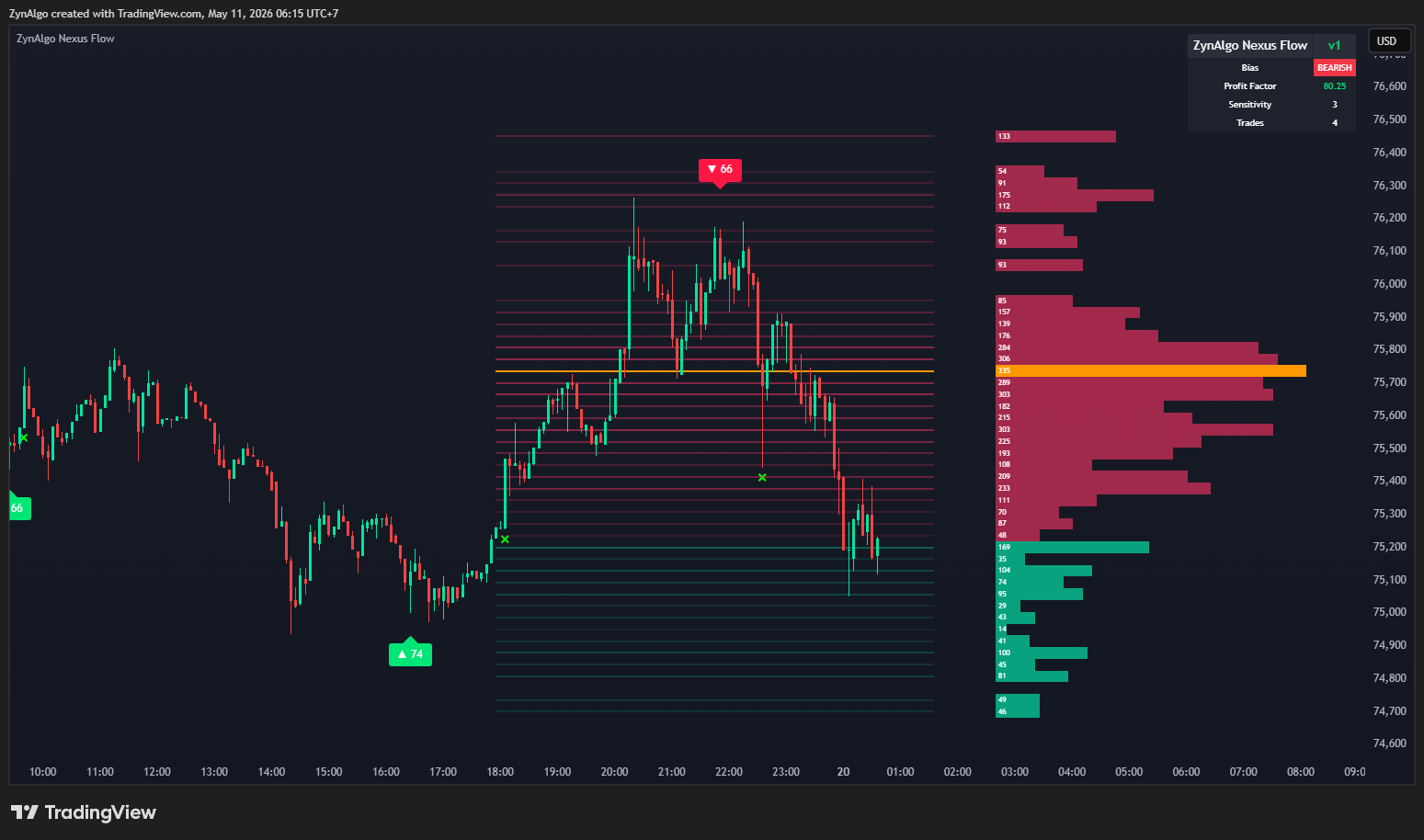
Nexus Flow Strategy is the auto-trading version of the Nexus Flow indicator for MT5. On every completed bar it replays the signal engine over recent history and re-derives the current setup, non-repainting, since the still-forming bar is excluded. The engine looks for a sweep past a recent confirmed pivot high or low, followed by a same-bar close back on the original side, with volume on that bar beating its own moving average. It also rebuilds a liquidity profile every bar (not only on the final one) to find the Point of Control, and scores the setup from 0 to 100 on pivot penetration, reclaim strength, POC proximity and volume strength. With ranked signals on, only scores of 60 or higher are traded.
When a valid signal fires, the strategy sets a stop at an ATR multiple from entry, derives up to three R-multiple targets, and sizes the position from either a fixed lot or a percentage of equity risked against the stop. Each enabled target is meant to be its own broker ticket, all sharing the one stop, with the remaining legs moved to breakeven once TP1 is banked.
A Session on a Netting Account

Say you are running this on EURUSD H1, with TP1, TP2 and TP3 all enabled and risk percent sizing on. Many US-regulated brokers, and a fair number of prop firm evaluation accounts, run netting by default rather than hedging. The strategy checks the account type once at start-up. If it finds netting, it cannot open the three separate tickets a hedging account would allow, so it collapses each signal into a single position aimed at the furthest enabled target instead, and draws a banner on the chart while that mode is active. Breakeven still applies, but since there is no separate TP1 leg left to arm it, the trigger falls back to whichever leg actually got funded.
Nexus Flow Strategy MT5
Full specification, pricing and platform support live on the product page.

why mt5 ea only opens one trade on netting account
To put it plainly:
- Your account type, netting or hedging, decides this, not your input settings.
- A single collapsed position with a single target is the strategy behaving correctly on a netting account, not a partial failure.
- The on-chart banner is the strategy telling you which mode it detected, worth checking before you assume anything is wrong.
- To get the full split-target, staged-breakeven behavior described in the manual, you need a hedging account. Netting accounts do not support it, on this or any EA that opens multiple simultaneous tickets on one symbol.
Who It Fits
This is built for liquid instruments with reliable volume data, on intraday to swing timeframes, for traders whose edge comes from liquidity sweeps and stop-hunt reversals rather than trend continuation. It assumes you can enable algorithmic trading and allow DLL imports in your terminal, since the license check runs through a compiled library. If you want to see the actual split-target execution the manual describes, you will want a hedging account, not a netting one.
What It Does Not Do
It does not forecast a win rate or a profit outcome, and no input in it changes that. On a netting account, it does not deliver three separate funded targets, only one position aimed at the furthest enabled target. The bars-in-trade input reserved for trade duration only feeds the indicator's own on-chart dashboard and simulation; it does not force-close a live broker order. There is no test build and no Strategy Tester bypass: a valid access key is required in every context, including the tester, and without Allow DLL imports and Algo Trading both enabled, it will not place a single order.
Trading involves risk. Nexus Flow Strategy is an automated execution tool, not financial advice, and nothing in this article predicts what will happen on your account. Test on a demo account first, on whichever account type (netting or hedging) you actually plan to trade live, before committing real size.
Rounding Out the Toolkit
If you are assembling a broader MT5 toolkit around this strategy, two other standalone tools in the ZynAlgo MT5 catalog are News Sweep Sentinel MT5 and Synthetic Volatility Snapback MT5. Neither is required to run Nexus Flow Strategy, and running more tools side by side does not change what any single one of them can show you.
If a netting account has been quietly reshaping your take-profit structure, check with your broker about a hedging account before assuming the strategy is misconfigured. For the full input reference and installation steps, look up Nexus Flow Strategy MT5 in the ZynAlgo marketplace.
Nexus Flow Strategy MT5
Pick a plan on the product page and it lands in your library right after checkout.