How to Avoid Low Quality Scalp Entries on M5
A clean engulfing candle closes on your five minute chart. Price just broke the recent range, the candle body is big, and by the textbook this is a buy. Ten minutes later price is back inside the range and your stop is gone.
If that keeps happening, the problem usually is not the entry rule itself. It is that the pattern printed while everything else on the chart, trend, momentum, volume, stayed silent or disagreed. On M5, entries are never in short supply. Entries where several unrelated readings actually agree are.
Scalper Pro v4 is an intraday scalping strategy (an Expert Advisor) built for MetaTrader 5 that exists to catch that gap between a pattern that looks right and a pattern that has support behind it.
What Scalper Pro Actually Does
On every closed candle, the tool checks several things at once before it will draw anything: whether recent swing structure still supports a direction, how the EMA 20, 50 and 200 are stacked and which side of EMA 20 price closed on, RSI and ADX for the quality and strength of the move, the candle's volume against its own average, and whether the market is currently locked in a sideways, compressed state.
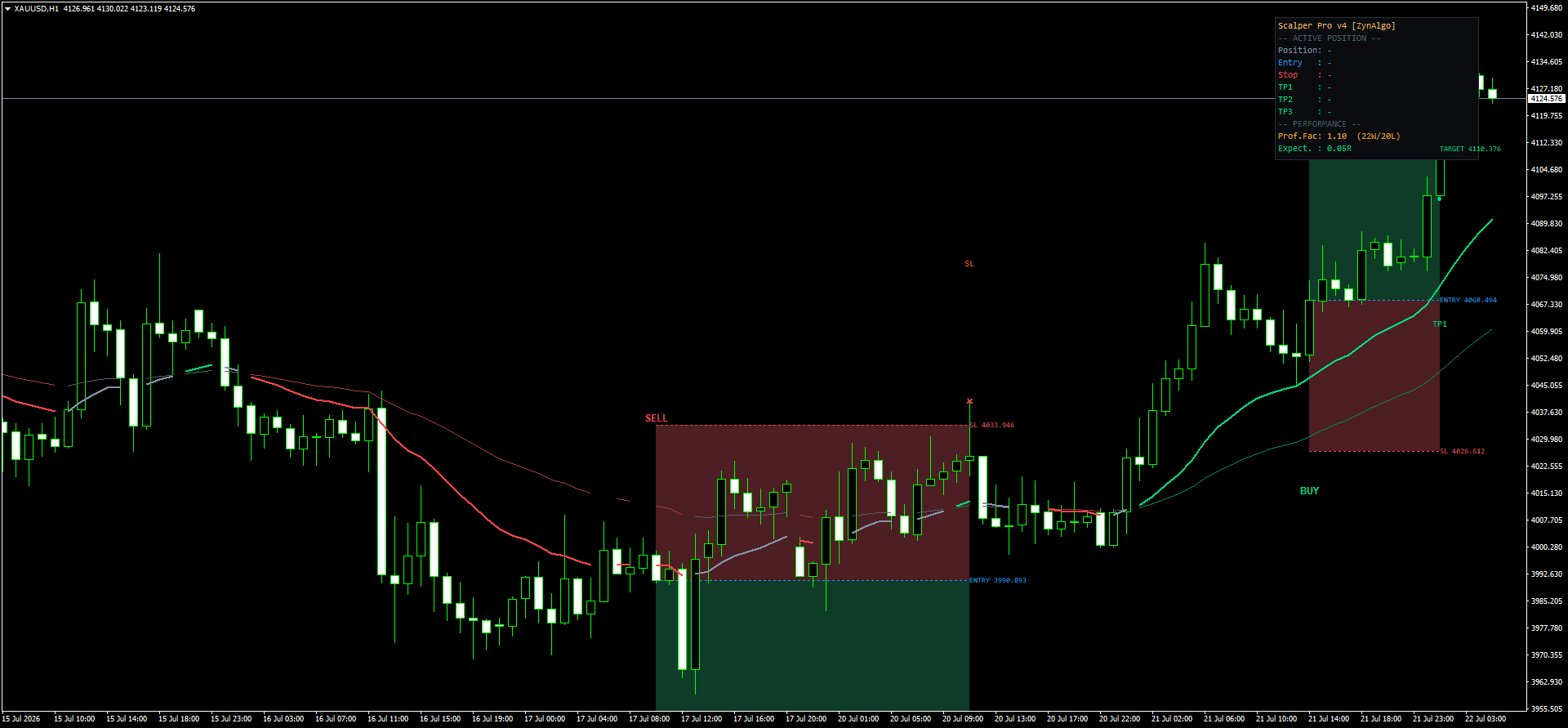
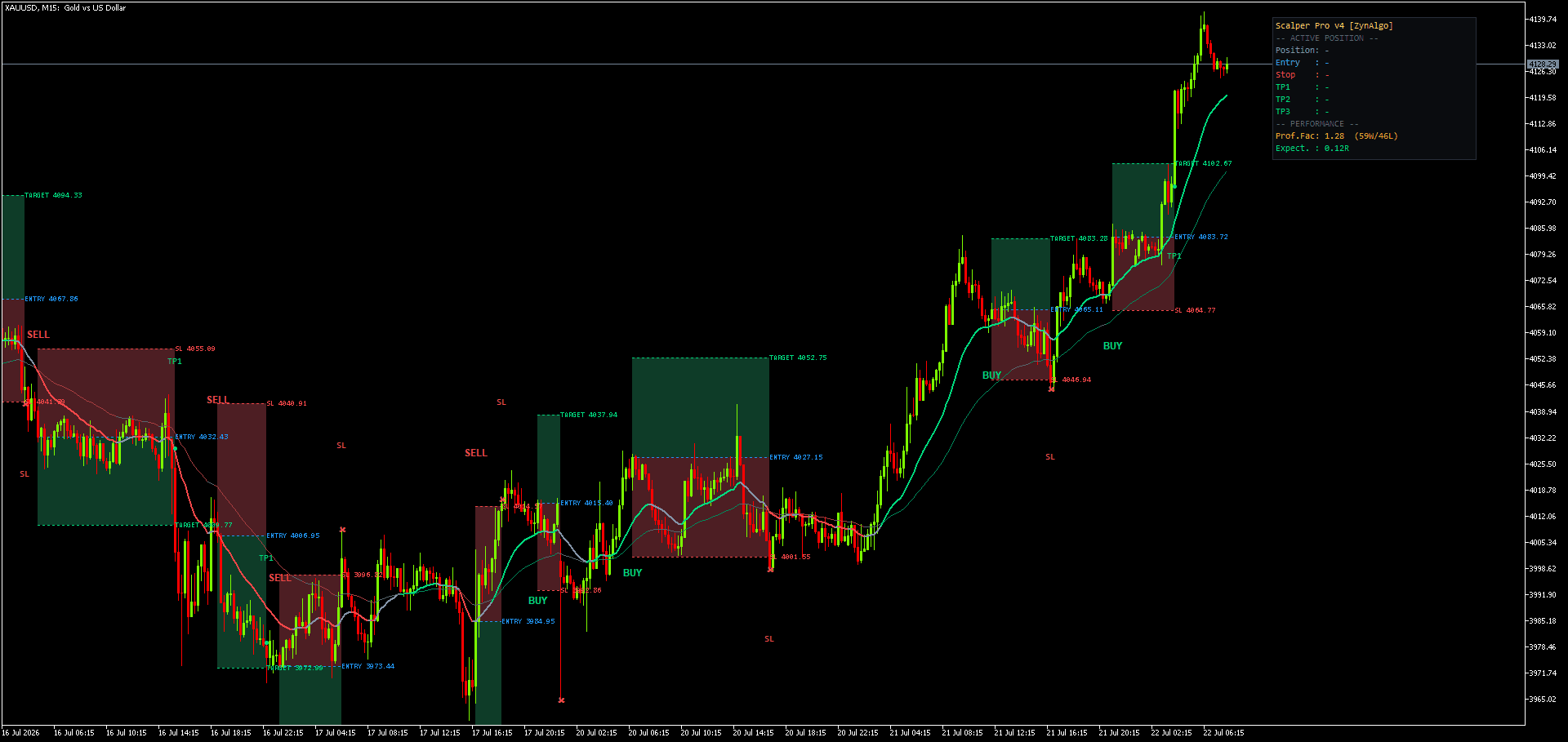
Only when those readings line up does a BUY or SELL appear, and it appears with an entry, a stop loss and up to three take profit levels already measured on the chart. Nothing is decided after the fact.
How to Avoid Low Quality Scalp Entries on M5
Most scalping tools treat every pattern as equally valid the moment it forms. Scalper Pro grades each raw setup on a 0 to 100 scale instead, weighing trend alignment, trend strength, momentum, participation and how cleanly the triggering pattern itself formed. A setup has to clear a minimum score before it is ever drawn on your chart. Anything that scores low, a pattern with no trend behind it, weak volume, flat ADX, is discarded silently rather than shown to you.
Underneath that score, the tool recognizes three broad setup types: a trend continuation where the market keeps doing what it was doing, a reversal at a prior demand or supply zone, and a breakout that gets confirmed by a retest rather than taken on the first push. When two opposite signals are close together in time, an anti flip check requires the newer one to clearly outscore the last before it is allowed to override it.
This is the mechanism, not a guarantee. A high score means several independent readings agree, not that the trade will work.
Scalper Pro v4 Strategy MT5
Executes the Scalper Pro v4 indicator's signal engine as broker orders on MetaTrader 5, with each take-profit as a separate ticket and automatic stop-to-breakeven.

A Session Walkthrough
Put it on a five minute XAUUSD or EURUSD chart during the London to New York overlap, which is inside the range the strategy was built around. Most candles print nothing. ADX is flat, or the EMAs are tangled, so the market sits in the sideways state the tool is designed to stay quiet through.
When a qualifying candle does close, a BUY or SELL appears with its stop and up to three targets already placed. Once the first target is hit, the stop moves to breakeven, so the trade is not exposed to an entire round trip after it has already worked in your favor for one leg.
Who This Fits
- You scalp intraday and are comfortable on M5 to M30 charts
- You would rather take four qualified entries in a session than fourteen average ones
- You want the stop and target attached to the signal, not decided in the moment
- You mostly trade liquid instruments through the London and New York sessions
The strategy has been tested on XAUUSD (M5-M15), XAGUSD (M5), NAS100 (M5), BTCUSD (M5-M15), EURUSD (M30) and AUDUSD (M30). Index and crypto ticker names differ by broker, so match the instrument rather than the exact symbol.
What It Does Not Do
Scalper Pro does not tell you what will happen next. A high score describes agreement between indicators at the moment the candle closed, not a forecast, and it does not imply any particular win rate or profit outcome.
It will not keep you busy. If you want a signal on every swing or constant chart activity, the selectivity built into this tool will feel restrictive rather than helpful, that quiet stretch during a flat market is the tool working as intended, not a malfunction. It also will not manage your position sizing decisions for you, or make a broker's spread and execution quality irrelevant to a five minute scalp.
Trading involves risk, and nothing in this article is investment advice. Past performance of any strategy, tested or otherwise, does not guarantee future results.
Pairing It With Other Tools
Because Scalper Pro screens for structure, trend, momentum and volume, it does not separately track scheduled news events. Traders who want a heads up before high impact releases interrupt a scalping session often pair it with something like News Sweep Sentinel, which is built specifically for that.
For sessions where a qualified move happens without you at the chart, Efficiency Step Reentry is worth a look. It is a separate tool built around spotting a re entry after price has already moved, rather than the first print. Neither pairing changes what either tool tells you, it just covers a different part of the session.
If the gap between a pattern that looks right and one that has agreement behind it is costing you trades, the product page for Scalper Pro v4 lists the full set of inputs, including the session window, cooldown and scoring thresholds, so you can see exactly what you are turning on before you attach it to a chart.
Scalper Pro v4 Strategy MT5
Executes the Scalper Pro v4 indicator's signal engine as broker orders on MetaTrader 5, with each take-profit as a separate ticket and automatic stop-to-breakeven.